Is Your Microsoft 365 Ready for Copilot? Fix Permissions Before AI Finds Your Files
What Copilot can actually see, where small businesses overshare, and a 4-step readiness plan for Ottawa offices
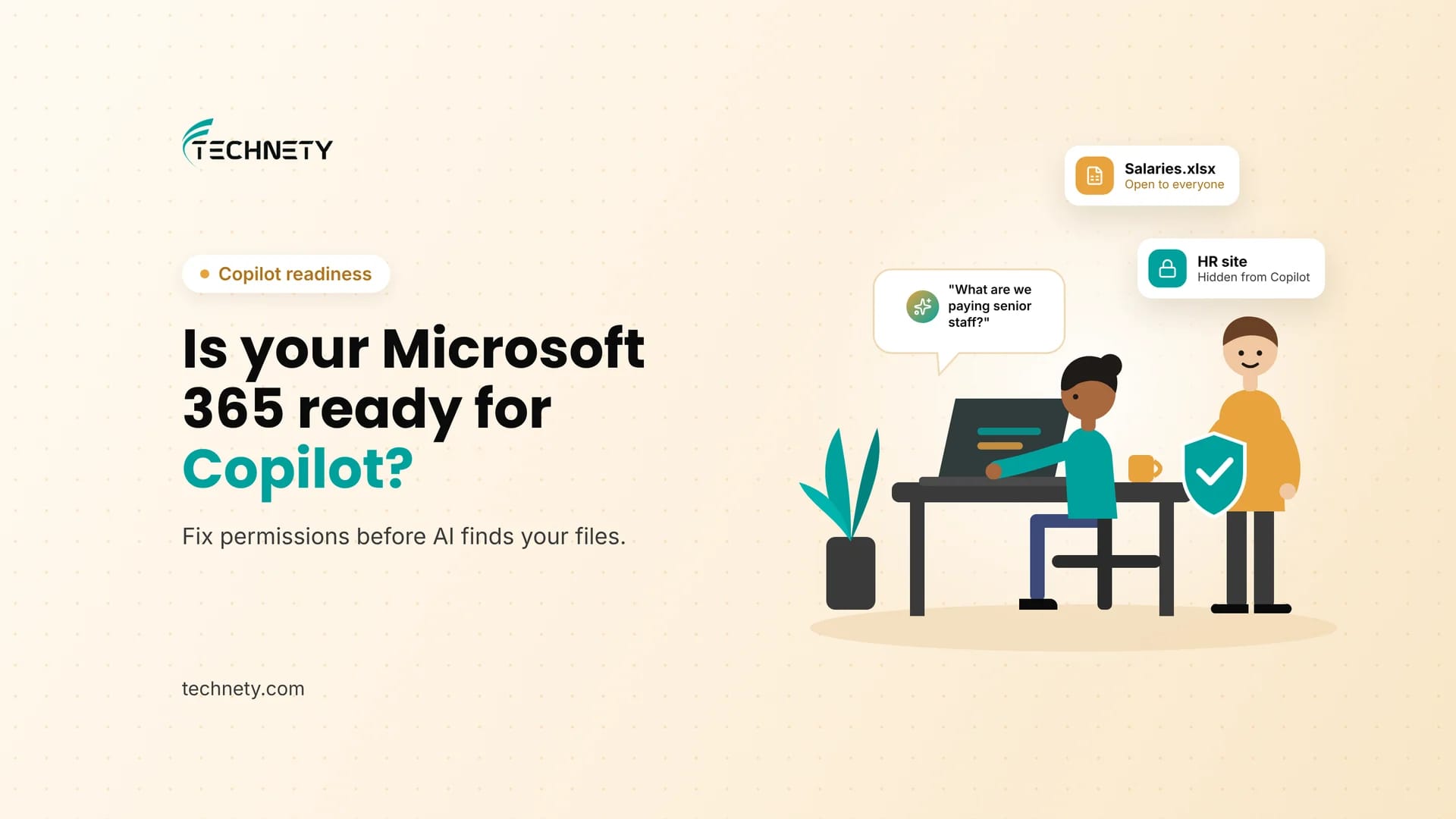
A new hire at a small Ottawa firm types a simple question into Copilot: “What are we paying our senior staff?” Copilot answers in seconds, with a neat summary pulled from a salary spreadsheet that someone saved to a shared folder three years ago. Nobody hacked anything. Nobody broke a rule. The file was simply open to everyone, and Copilot found it.
This guide is written by Technety, an Ottawa-based managed service provider focused on Microsoft 365 administration and security.
Short answer: Microsoft 365 Copilot can only see what each user already has permission to open, but in most small businesses that is far more than anyone realizes. Before you turn Copilot on, find and fix overshared SharePoint sites, Teams and OneDrive links, protect sensitive files with sensitivity labels, and roll Copilot out to a small pilot group first. Copilot readiness is a security project before it is an AI project.
Microsoft 365 Copilot readiness at a glance
| What Copilot can see | Only data the signed-in user has at least view permission to, through Microsoft Graph |
|---|---|
| The real risk | Oversharing: files and sites open to far more people than intended |
| Where oversharing hides | SharePoint sites, Teams files, OneDrive sharing links and old shared folders |
| Free tools that help | SharePoint Advanced Management, included once at least one Copilot licence is assigned |
| Microsoft’s recommended approach | A phased rollout: Pilot, Deploy, Operate |
| Price (USD list) | Microsoft 365 Copilot Business is $21 per user per month on annual billing, for up to 300 users, on top of a Microsoft 365 Business plan |
Five things every small business should know
- Copilot does not bypass permissions. It shows people what they could already open, faster and in plain language.
- That is exactly the problem. A file nobody would have found by browsing is one question away in Copilot.
- Most oversharing is accidental: “Everyone” permissions, “anyone with the link” shares, and old folders nobody cleaned up.
- Microsoft includes oversharing reports and controls with Copilot licences, but someone has to run them and act on them.
- A small pilot group first is safer and cheaper than giving everyone Copilot on day one.
What is Copilot readiness?
Copilot readiness is the work of making sure your Microsoft 365 permissions, sharing settings and data protection are in good shape before you give staff Microsoft 365 Copilot. Because Copilot answers questions using every file, email and chat a user can access, readiness focuses on reducing oversharing, labelling sensitive information and rolling Copilot out in stages. It is mostly a permissions and security project, not a technology install.
What can Microsoft 365 Copilot actually see?
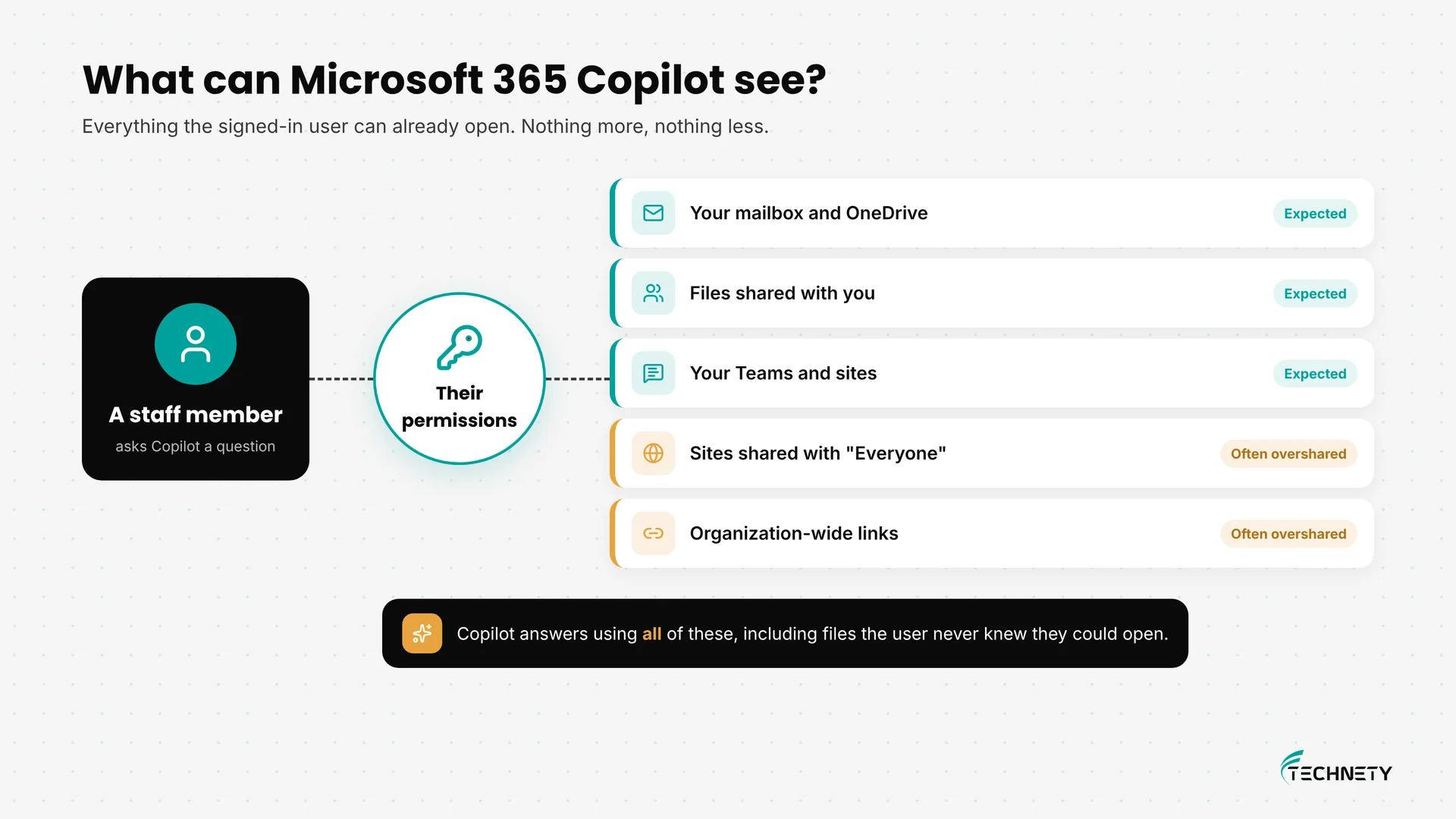
Microsoft is clear on this point: Copilot only surfaces organizational data that an individual user has at least view permission to. It reaches that data through Microsoft Graph, which includes the user’s emails, chats, meetings, calendar and documents.
That sounds reassuring until you look at what “has permission” really means in a typical small business. A user can open:
- Their own mailbox and OneDrive files
- Files and folders someone shared with them directly
- Every SharePoint site and Teams channel they are a member of
- Any site shared with “Everyone” or “Everyone except external users”
- Any file shared with a link that works for everyone in the organization
Microsoft’s own SharePoint guidance warns that Copilot uses all the data a user has access to, including broadly shared files the user did not even know existed. To staff, it can feel like Copilot is exposing content. In reality, the content was already exposed. Copilot just made it easy to find.
Copilot also honours your existing security controls, including Conditional Access and multifactor authentication. If those are weak, fix them first. Our list of the 10 Microsoft 365 security settings every small business should turn on is a good starting point.
Where do small businesses overshare in Microsoft 365?
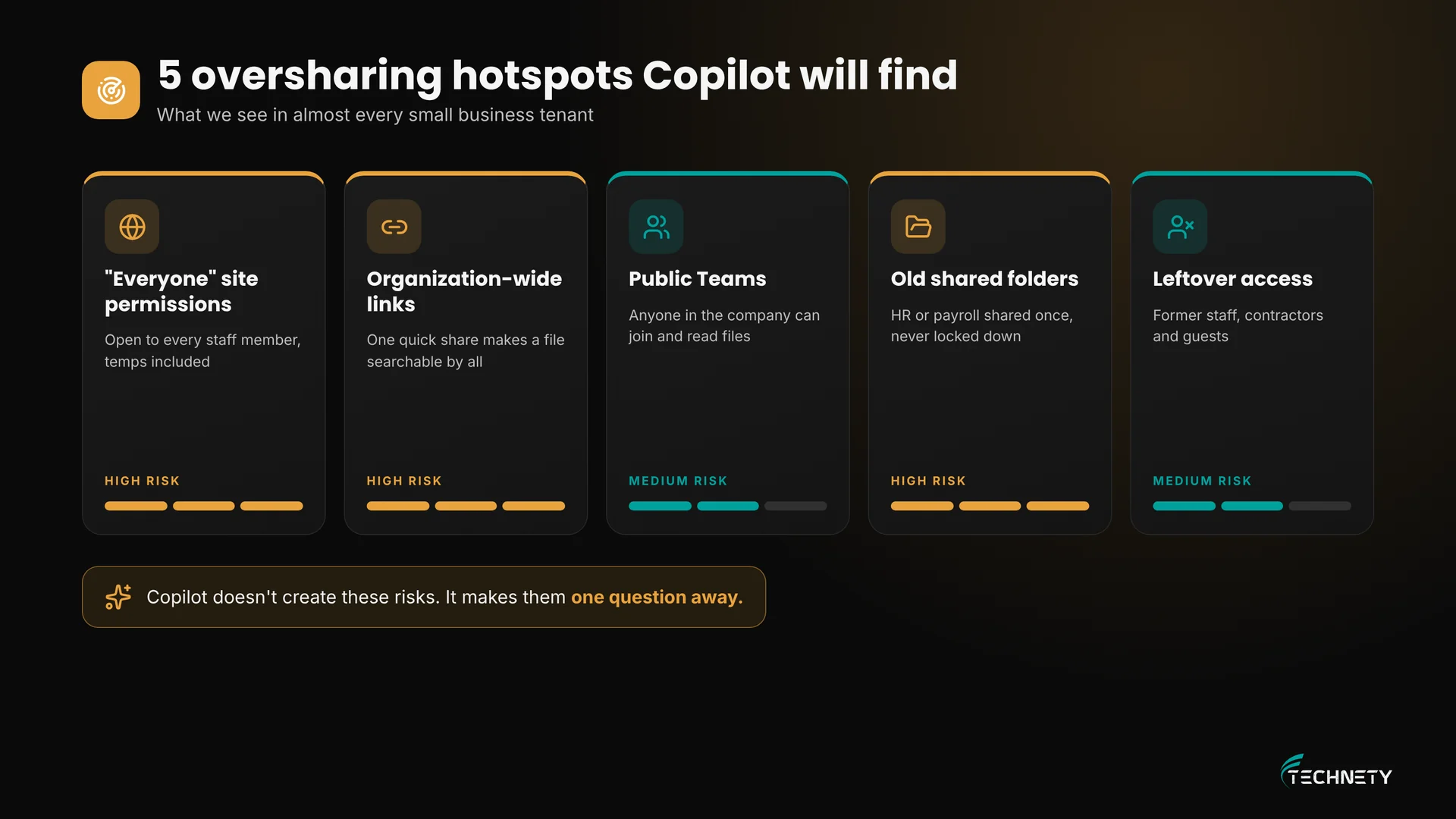
In our experience, the same five patterns show up in almost every small business tenant:
- “Everyone” permissions on SharePoint sites: a site shared with “Everyone except external users” is open to every staff member, including new hires and temps.
- Organization-wide sharing links: a quick “people in your organization” link on a sensitive file makes it searchable for the whole company.
- Public Teams: a team created as Public lets anyone in the organization join and read its files.
- Old shared folders: HR, payroll or client folders shared years ago for one task and never locked down again.
- Leftover access: former staff, contractors and guests who still have access. Our guide on who still has access to your Microsoft 365 covers how to find them.
Is it Copilot risk or normal risk?
| Question | Without Copilot | With Copilot |
|---|---|---|
| Can a user open an overshared file? | Yes, if they find it | Yes, and Copilot can find it for them |
| How hard is it to find? | Buried in folders and old sites | One natural-language question away |
| Can Copilot open files the user cannot? | Not applicable | No. Copilot respects existing permissions |
| Does Copilot change permissions? | Not applicable | No. It uses the permissions you already have |
| What fixes the risk? | Tidy permissions | Tidy permissions, labels and a staged rollout |
How do you get Microsoft 365 ready for Copilot?
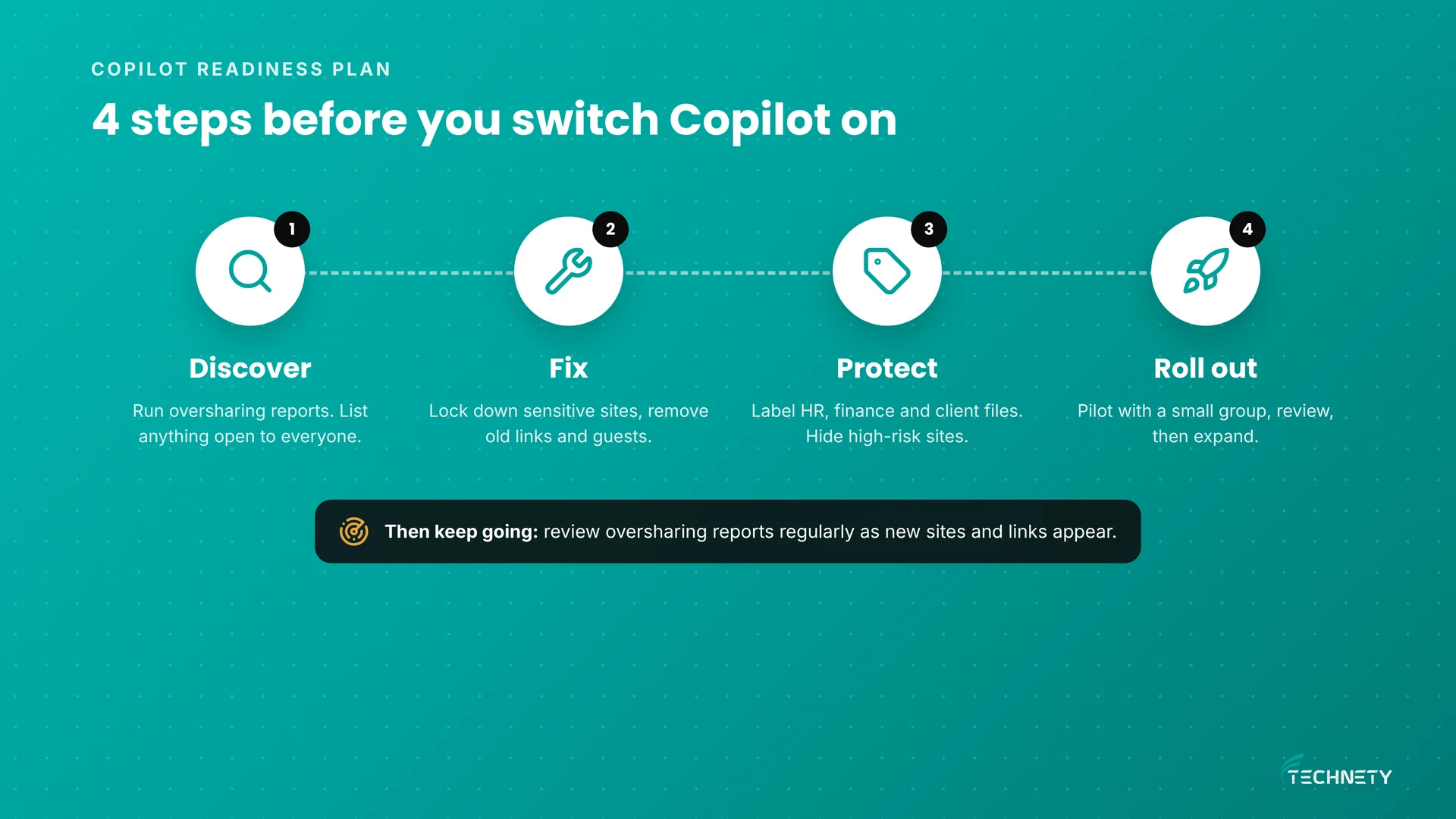
 Microsoft publishes a deployment blueprint for oversharing that follows three phases: Pilot, Deploy and Operate. For a small business, we turn that into four practical steps.
| Area | What good looks like |
|---|---|
| 1. Discover | You have a list of sites, Teams and files shared with “Everyone” or by organization-wide links. |
| 2. Fix | Sensitive sites are limited to the right people, old links are removed, and Teams are set to Private where needed. |
| 3. Protect | HR, finance and client files carry sensitivity labels, and the most sensitive sites are hidden from Copilot. |
| 4. Roll out | A small pilot group uses Copilot first, you review what it surfaces, then you expand. |
| Ongoing | Oversharing reports are reviewed regularly, and new sites follow the same rules. |
What free tools does Microsoft include for Copilot readiness?
Once your organization assigns at least one Microsoft 365 Copilot licence, SharePoint administrators get access to SharePoint Advanced Management features that support Copilot deployment. The most useful for a small business are:
- Data access governance reports: in the SharePoint admin center, go to Reports, then Data access governance. These reports flag sites with potentially overshared or sensitive content.
- Restricted Access Control: limits a SharePoint site to a specific group, even if files inside were shared more widely.
- Restricted Content Discovery: keeps high-risk sites out of Copilot and organization-wide search results.
- Site access reviews: asks site owners to confirm who should have access to overshared sites.
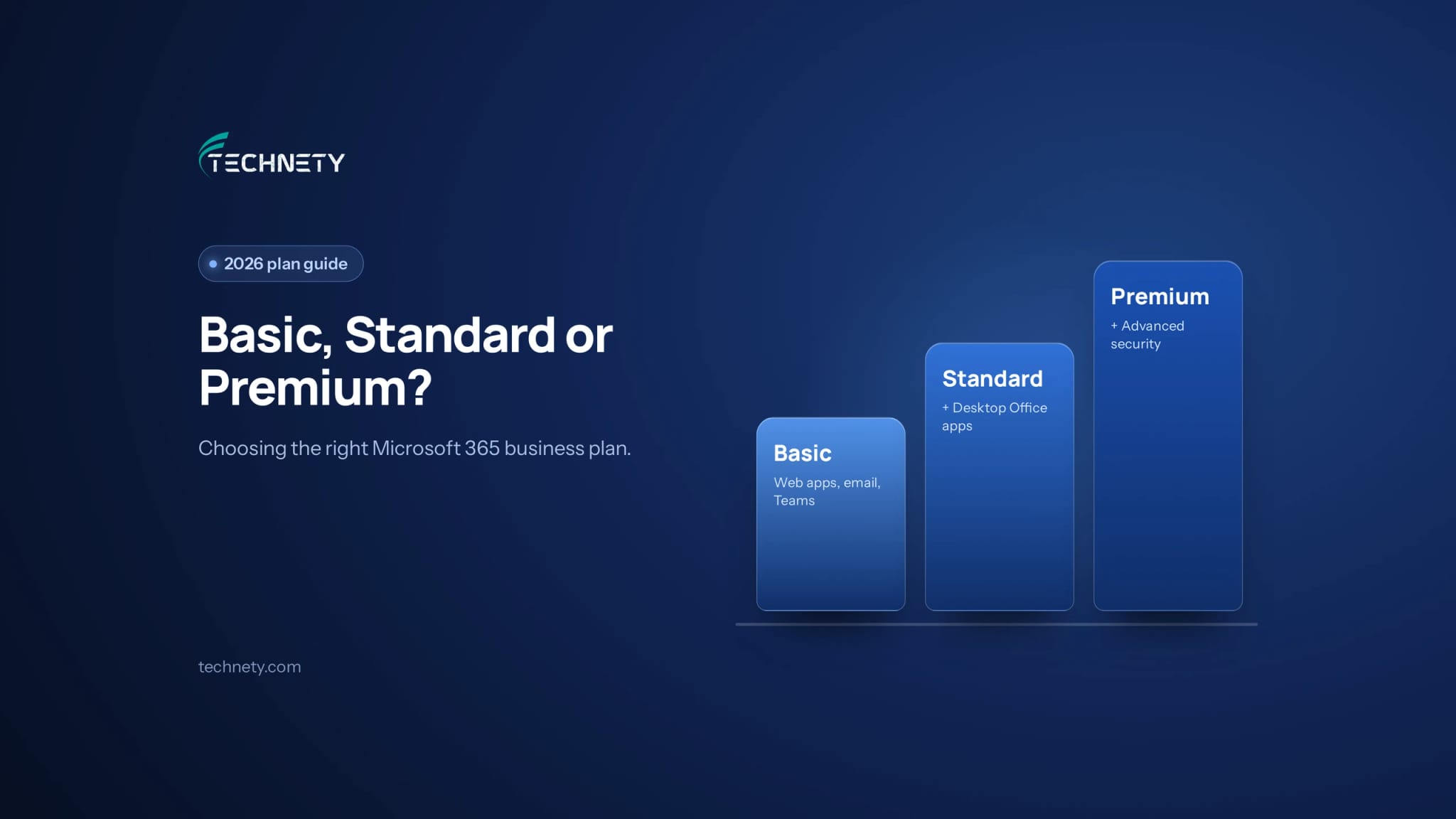
Microsoft Purview adds sensitivity labels, which mark files as Confidential or Restricted and can control how they are used. Labels work best on Business Premium. If you are weighing plans, see our guide to Business Basic vs Standard vs Premium.
How much does Microsoft 365 Copilot cost for a small business?
Microsoft 365 Copilot Business is $21 USD per user per month on annual billing, for organizations with up to 300 users, and it sits on top of a qualifying Microsoft 365 Business plan. Microsoft also sells bundles that combine a Business plan with Copilot, and runs promotions from time to time. Check Microsoft’s Canada pricing page for CAD figures.
You do not need to license everyone. Most small businesses get better value by starting with the people who write, summarize and search the most, such as owners, managers and administrative staff.
What does this look like in practice?
This is an illustrative example based on a typical setup, not a specific client.
Where they started: A 14-person Ottawa engineering consultancy wanted Copilot for proposal writing. Their main SharePoint site was shared with “Everyone except external users”, the HR folder had an organization-wide link from 2022, and two former contractors still had guest access.
What changed: Before buying licences, the firm ran the oversharing reports, moved HR and finance files to a private site, removed old links and guest accounts, labelled salary and client contract files as Confidential, and hid the HR site from Copilot.
The result: Three partners piloted Copilot for a month. It drafted proposals and summarized meetings well, and it never surfaced HR or payroll data. The firm then rolled it out to the rest of the project team with confidence.
How Technety helps
Technety manages and secures Microsoft 365 for small businesses in Ottawa. As part of our Microsoft 365 administration and security service, we can help you:
- Run an oversharing review across SharePoint, Teams and OneDrive
- Fix permissions, sharing links and guest access
- Set up sensitivity labels for HR, finance and client files
- Plan a small Copilot pilot and choose who gets licences first
- Keep oversharing in check after rollout
Frequently asked questions
Can Copilot see files I don’t have access to?
No. Microsoft 365 Copilot only surfaces data the signed-in user has at least view permission to. The risk is that most users have access to more than anyone intended.
Does Copilot change who can access our files?
No. Copilot uses your existing permissions. It does not grant new access, but it makes overshared content much easier to find.
Is our data used to train Microsoft’s AI models?
Microsoft states that prompts, responses and organizational data accessed through Microsoft Graph are not used to train its foundation models.
What is the first step to get ready for Copilot?
Find out what is overshared. Review SharePoint sites, Teams and sharing links for anything open to everyone in the organization, starting with HR, finance and client files.
How much does Copilot cost for a small business?
Microsoft 365 Copilot Business is $21 USD per user per month on annual billing for up to 300 users, plus a qualifying Microsoft 365 Business plan. Check Microsoft’s Canada pricing for CAD.
Do we need to give Copilot to everyone?
No. Start with a small pilot group, review what Copilot surfaces, then expand to the roles that benefit most.
Can we stop Copilot from using certain sites?
Yes. Restricted Content Discovery, included with Copilot licences through SharePoint Advanced Management, keeps selected sites out of Copilot and organization-wide search.
Ready to switch Copilot on safely?
Technety offers a free 30-minute Microsoft 365 and security review for Ottawa small businesses. We will check your sharing settings, flag the biggest oversharing risks and tell you what to fix before Copilot goes live.
Related reading: who still has access to your Microsoft 365, the 10 Microsoft 365 security settings to turn on, and Microsoft 365 management in Ottawa.
This article is general information, not legal advice.
Sources
- Microsoft Learn: Data, privacy and security for Microsoft 365 Copilot
- Microsoft Learn: Microsoft 365 Copilot architecture and how it works
- Microsoft Learn: Get ready for Microsoft 365 Copilot with SharePoint Advanced Management
- Microsoft Learn: Prevent oversharing in Microsoft 365 Copilot, deployment blueprint
- Microsoft Learn: SharePoint Advanced Management licensing
- Microsoft Tech Community: Microsoft 365 Copilot Business pricing update
Related articles
More practical guides on Microsoft 365, security and IT for Ottawa businesses.