Microsoft 365 Business Basic vs Standard vs Premium: Which Plan Fits Your Business?
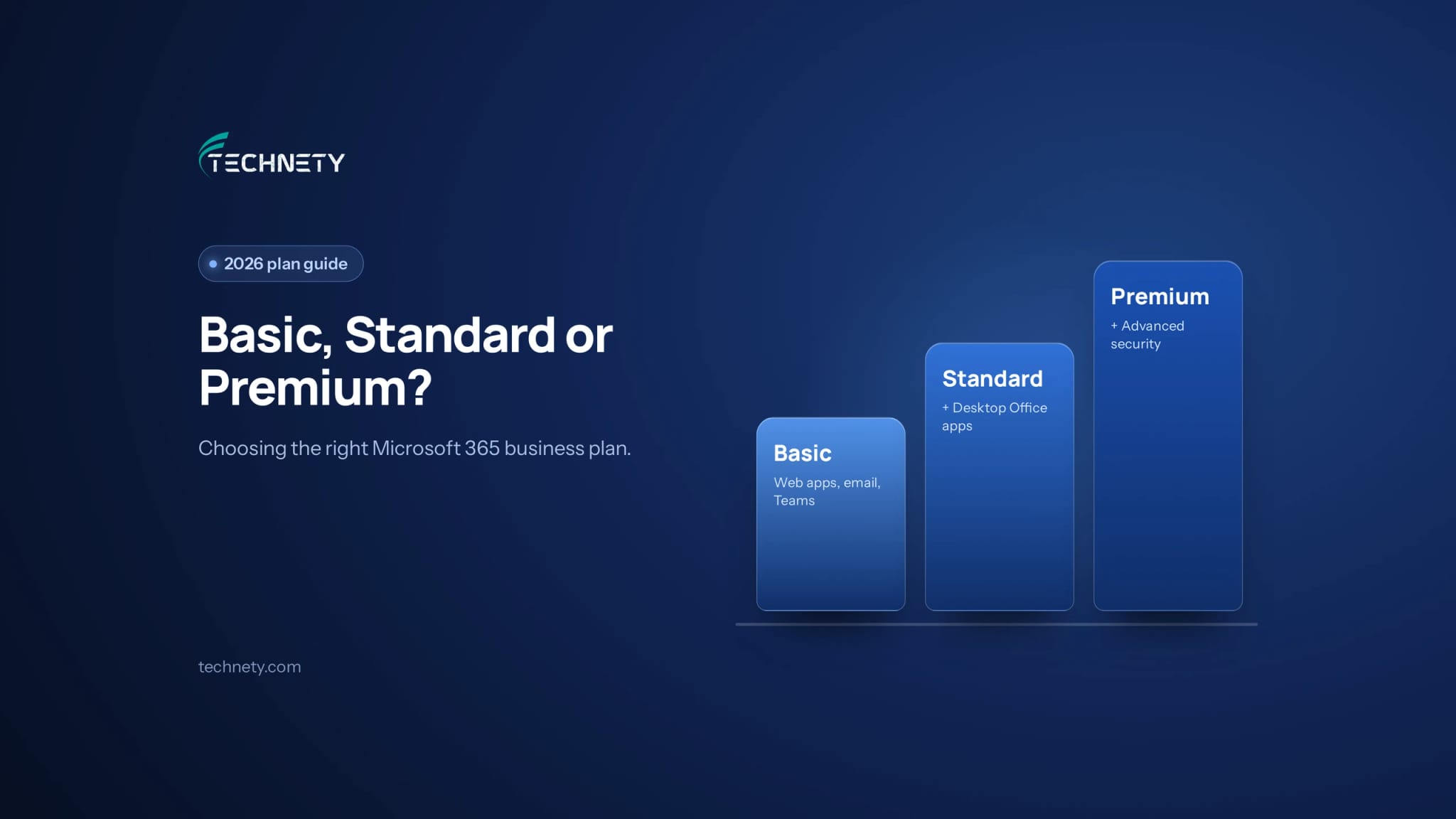
What each plan includes, what changed in 2026, and how to choose the right mix for your team
Choose in 30 seconds
- Choose Business Basic if your team mostly uses email, Teams and files in a web browser or on their phones.
- Choose Business Standard if your team works all day in the desktop versions of Word, Excel and Outlook.
- Choose Business Premium if you handle client data, money or sensitive information, or you want proper control over sign-ins and devices.
Most small businesses don’t need to pick just one. You can mix plans in the same Microsoft 365 account and give each person the plan their role needs.
This guide is written by Technety, an Ottawa-based managed service provider focused on Microsoft 365 administration and security.
What to know before you pick
- All three plans include business email, Teams, SharePoint and 1 TB of OneDrive storage per user, for up to 300 users.
- Business Standard adds the desktop Office apps. Business Premium adds the security and device management tools.
- Microsoft raised Basic and Standard prices on July 1, 2026, but left Business Premium unchanged, so the gap between Standard and Premium is now smaller.
- Conditional Access, the feature that controls who can sign in from where and on which devices, needs Business Premium or a separate Entra ID P1 licence.
- Choosing the cheapest plan for everyone can cost more later if an account without strong protection gets compromised.
What does each Microsoft 365 business plan include?
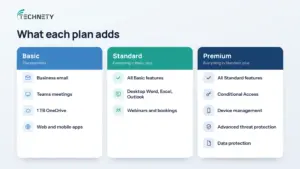
Each plan builds on the one below it: Standard is Basic plus desktop apps, and Premium is Standard plus advanced security.
| Business Basic | Business Standard | Business Premium | |
|---|---|---|---|
| Business email, Teams, SharePoint | Yes | Yes | Yes |
| 1 TB OneDrive per user | Yes | Yes | Yes |
| Word, Excel, Outlook on the web and mobile | Yes | Yes | Yes |
| Desktop Word, Excel, Outlook, PowerPoint | No | Yes | Yes |
| Webinars and appointment booking | No | Yes | Yes |
| Conditional Access (Entra ID P1) | No | No | Yes |
| Device management (Intune) | No | No | Yes |
| Advanced threat protection (Defender) | No | No | Yes |
| Data protection and labelling | No | No | Yes |
| Maximum users | 300 | 300 | 300 |
Business Basic covers the essentials: professional email on your own domain, Teams for meetings and chat, and cloud storage. The Office apps run in a web browser or on phones and tablets, which is enough for many roles.
Business Standard adds the full desktop apps that many people still prefer for heavy spreadsheet work, long documents and managing a busy inbox.
Business Premium adds the security layer. Conditional Access lets you block sign-ins from unexpected locations or unmanaged devices. Intune lets you manage company laptops and protect work data on personal phones. Defender adds stronger protection against phishing and malware. Our guide on how to secure work email on personal phones shows why device protection matters.
What changed with Microsoft 365 prices in 2026?
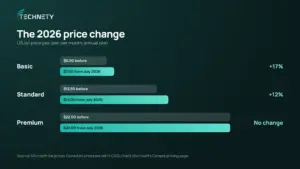
On July 1, 2026, Microsoft raised the price of Business Basic and Business Standard, while Business Premium stayed the same.
In US list prices per user per month on an annual plan, Business Basic went from $6 to $7 and Business Standard from $12.50 to $14, while Business Premium stayed at $22. Canadian prices are set in Canadian dollars, so check Microsoft’s Canada pricing page for what you’ll actually pay.
Two things matter for your next renewal:
- The change applies at renewal. Existing customers keep their current price until their next renewal after July 1, 2026.
- Premium is now relatively cheaper. The gap between Standard and Premium narrowed, which makes Premium worth a fresh look, especially if you pay separately for security or device management tools.
Which Microsoft 365 plan does each person need?
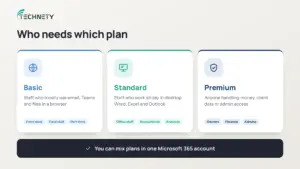
Match the plan to the role, not the whole company. Microsoft 365 lets you assign different plans to different people in the same account.
| Role | Recommended plan | Why |
|---|---|---|
| Front desk, field or part-time staff | Business Basic | Email, Teams and files in a browser are enough |
| Office staff who live in Excel, Word and Outlook | Business Standard | They need the full desktop apps |
| Owners, finance, HR and anyone with admin rights | Business Premium | Attackers target these accounts first |
| Anyone handling client or patient data | Business Premium | Conditional Access and data protection reduce risk |
Not everyone needs Premium, but the people with the most access usually do. If a finance or admin account is compromised, the damage is far greater than for a front-desk account.
Is Business Premium worth it for a small business?
For most small businesses that handle sensitive information, yes, at least for key staff.
Microsoft’s Conditional Access requires an Entra ID P1 licence, which is included in Business Premium. Without it, you rely on Microsoft’s basic security defaults, which help but give you far less control. Our article on why MFA isn’t enough anymore explains why these extra controls now matter.
Premium also bundles tools you’d otherwise buy separately, like device management and advanced email protection. If you already pay for those separately, Premium can actually cost less overall.
Premium is only worth it if it’s configured, though. Many businesses pay for it and never turn on its features. Our list of Microsoft 365 security settings every small business should turn on covers where to start.
What does a smart plan mix look like?
Imagine a 12-person Ottawa accounting firm deciding which plans to buy.
- Before: everyone was on Business Standard, because that’s what the firm signed up with years ago. No one had Conditional Access, and staff phones accessed client email with no protection.
- The change: the two partners, the office manager and the bookkeeper, the four people who handle money, client files and admin access, moved to Business Premium. Six accountants stayed on Business Standard for the desktop apps. Two part-time staff moved to Business Basic.
- The result: the most sensitive accounts got Conditional Access and device protection, while the total monthly cost rose only modestly, because the cheaper Basic licences offset part of the Premium upgrade.
Frequently asked questions
What is the main difference between Business Standard and Business Premium?
Business Premium includes everything in Standard, plus advanced security: Conditional Access, device management with Intune, Defender threat protection and data protection tools.
Can I mix Basic, Standard and Premium in one account?
Yes. You can assign different plans to different users in the same Microsoft 365 account, so each person gets what their role needs.
Do all plans include email?
Yes. Business Basic, Standard and Premium all include business email on your own domain, along with Teams, SharePoint and OneDrive.
Does Business Basic include the desktop Office apps?
No. Business Basic includes the web and mobile versions of Word, Excel, PowerPoint and Outlook. The desktop apps start with Business Standard.
Is there a user limit on Microsoft 365 business plans?
Yes. Business Basic, Standard and Premium are designed for organizations with up to 300 users.
Is Copilot included in these plans?
Microsoft 365 Copilot is a separate paid add-on, and Microsoft also sells bundles that include it. Our Copilot guide later this year will cover whether it’s worth it for small businesses.
Are there discounts for nonprofits?
Yes. Eligible nonprofits can get free Business Basic licences and a discount on Business Premium. Our guide to IT support for Ottawa nonprofits and charities explains the options.
Not sure which plan your team is on?
Technety offers a free 30-minute Microsoft 365 review for Ottawa businesses and nonprofits. We’ll check which plans you’re paying for, whether they match each person’s role, and whether the security features you already pay for are turned on. Book your free review. For ongoing help, see our guide to Microsoft 365 management in Ottawa.
This article is general information, not legal advice.
Sources
Related articles
More practical guides on Microsoft 365, security and IT for Ottawa businesses.