How to Stop Invoice Fraud in Microsoft 365 Before Holiday Payments
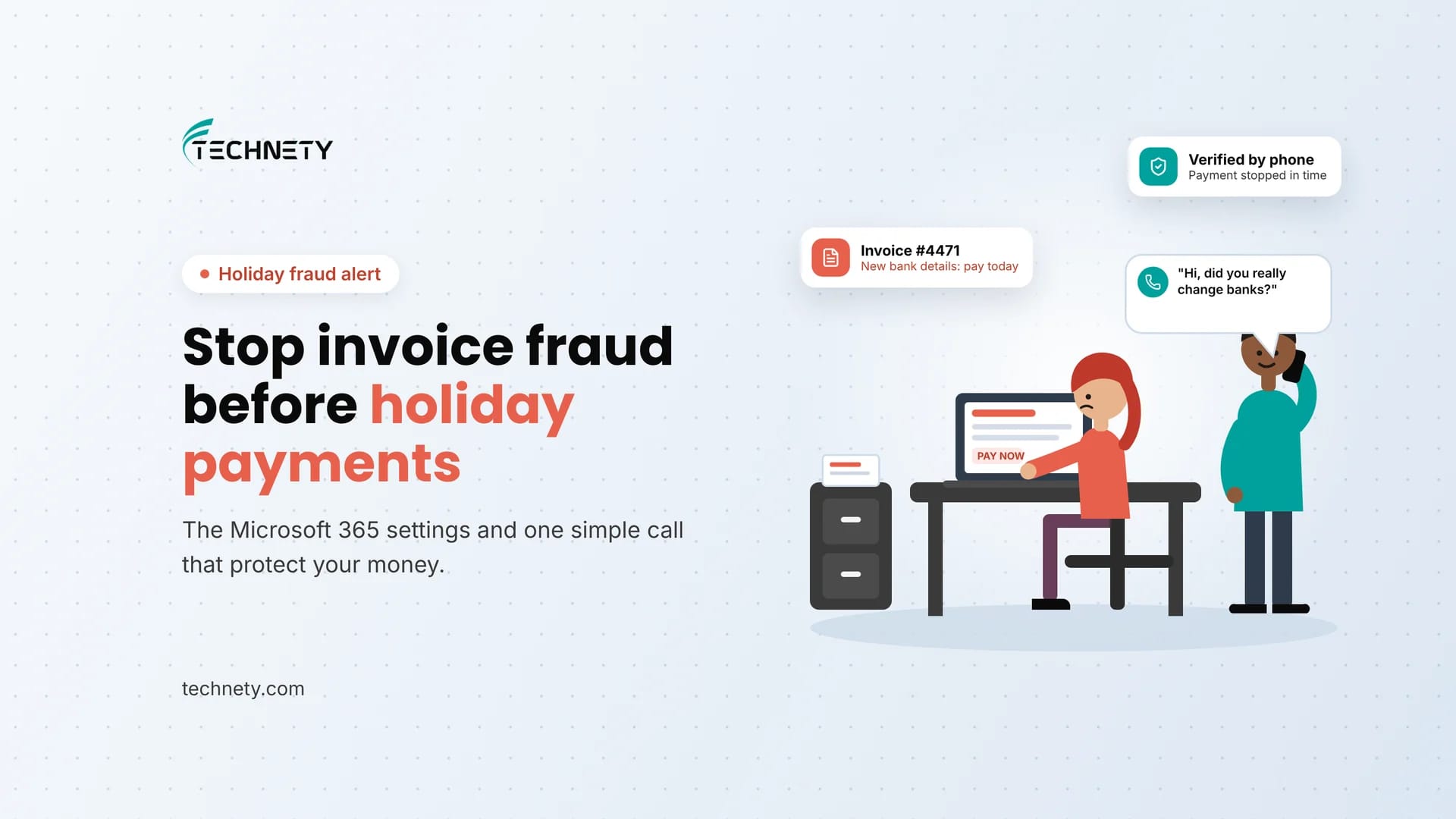
How fake invoices and “new bank details” emails reach your inbox, and the Microsoft 365 settings and payment checks that stop them
It is the second week of December. The bookkeeper at a small Ottawa contracting company gets an email from a supplier they have paid for years. Same name, same signature, same invoice number they were expecting. One small change: “We’ve switched banks. Please send this payment to our new account.” The invoice is paid that afternoon. Three weeks later, the real supplier calls asking where their money is.
This guide is written by Technety, an Ottawa-based managed service provider focused on Microsoft 365 administration and security.
Short answer: invoice fraud, also called business email compromise or payment redirection fraud, tricks your staff into sending real payments to a criminal’s bank account. To stop it, combine Microsoft 365 settings (external sender tags, impersonation protection, blocked auto-forwarding and multifactor authentication) with one simple business rule: never change a vendor’s banking details based on an email alone. Always call the vendor back on a phone number you already have on file.
Invoice fraud at a glance
| What it is | Fake or altered payment requests sent by email, usually asking you to pay a new bank account |
|---|---|
| Also called | Business email compromise (BEC), payment redirection fraud, spear phishing |
| Losses in Canada | Spear phishing fraud losses reported to the Canadian Anti-Fraud Centre exceeded $68 million CAD in 2025 |
| Losses in the US | Over $3 billion USD reported to the FBI in 2025, the second-largest loss of any cybercrime type |
| How the money moves | Mostly wire transfers and electronic funds transfers to accounts controlled by criminals |
| Best single defence | Call the vendor back on a known phone number before changing any banking details |
| Microsoft 365 controls that help | External sender tag, impersonation protection, blocked auto-forwarding, MFA and DMARC |
Five things every small business should know
- Invoice fraud usually has no virus or bad link. It is just a convincing email, so antivirus alone will not catch it.
- The email can come from your real supplier’s account if their mailbox was hacked, so “it came from their address” proves nothing.
- Year-end is high season: more invoices, more pressure to pay quickly, and more staff away.
- Several strong Microsoft 365 protections are off by default and need to be switched on.
- Speed matters after a mistake. Reporting fraud quickly can improve the chance of getting money back.
What is invoice fraud?
Invoice fraud is a type of business email compromise where a criminal pretends to be a supplier, contractor, client or senior staff member and asks your business to send a payment to a bank account they control. It usually arrives as a fake invoice, a “change of banking details” notice or an urgent payment request. Because it relies on trust and timing rather than malware, it often slips past standard email filters.
Why is invoice fraud a bigger risk around the holidays?
Fraudsters time their attacks for when businesses are busiest. In December, many Ottawa offices are closing out the year, paying suppliers before the break, and running with fewer people. Approvers are on vacation, deadlines feel urgent, and nobody wants to delay a supplier’s payment before the holidays. That is exactly the pressure a fake “please pay today” email is designed to exploit.
How does invoice fraud happen in Microsoft 365?
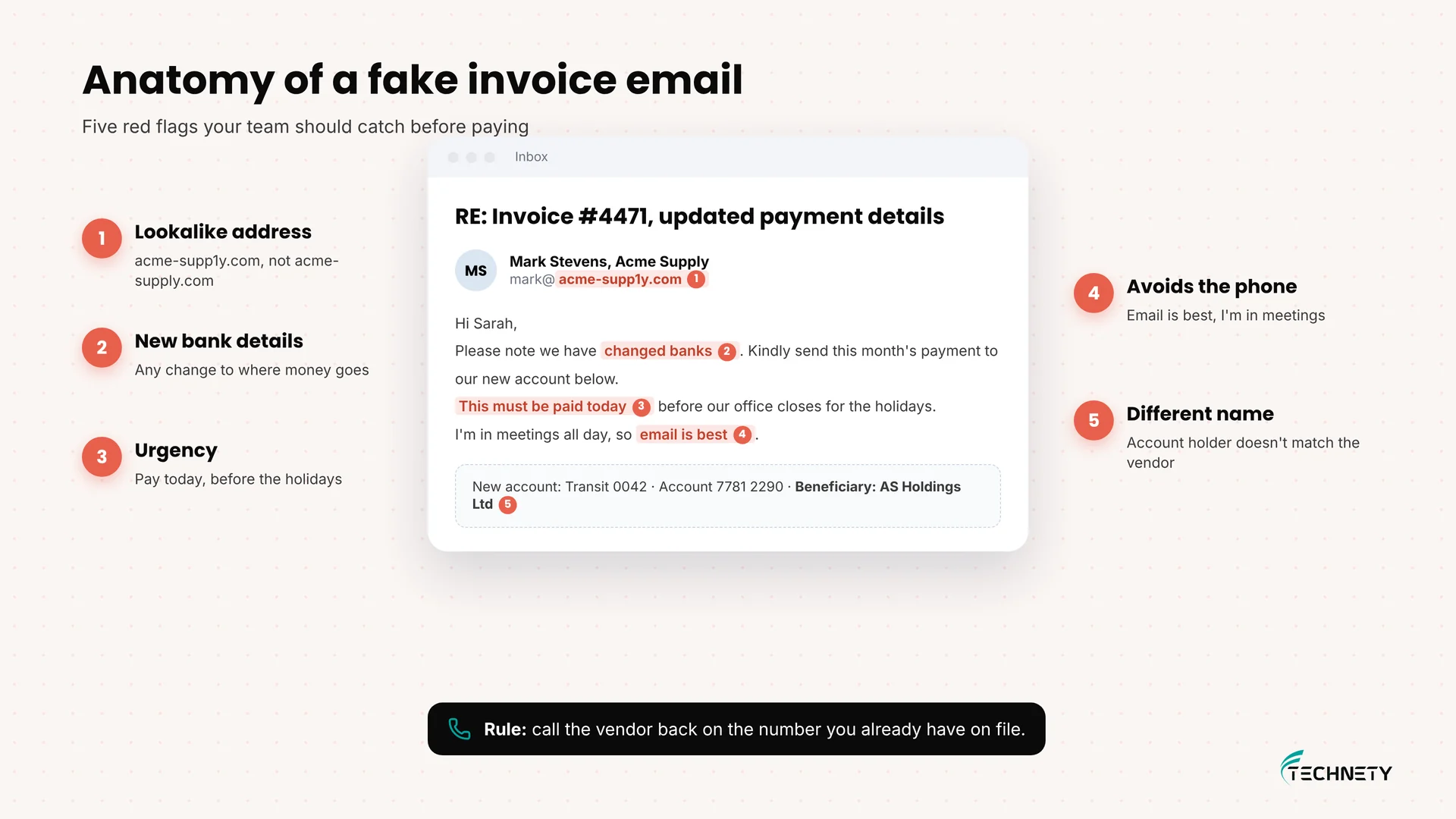
In our experience, almost every case follows one of three patterns:
- Lookalike address: the email comes from a domain that looks like your supplier’s, such as “acme-supp1y.com” instead of “acme-supply.com”. It is easy to miss on a phone.
- Hacked supplier mailbox: the criminal breaks into your supplier’s real Microsoft 365 or Gmail account, reads their emails, and replies in an existing thread with new bank details. Everything looks genuine because it is genuine, apart from the account number.
- Hacked mailbox inside your business: the criminal signs in as one of your staff, creates hidden inbox rules to move or forward replies, and sends payment requests from inside your own company. Our guide on signs your Microsoft 365 account has been hacked covers how to spot this.
Red flags to train your team on:
- A request to change banking details, especially by email only
- Urgency: “must be paid today”, “before the holidays”, “account will be frozen”
- A sender address that is slightly different from usual
- The sender is suddenly hard to reach by phone or asks you not to call
- An invoice from a supplier you do not normally pay, or an amount that is a little off
Is it a real banking change or invoice fraud?
| Sign | Real vendor change | Likely fraud |
|---|---|---|
| How you hear about it | Formal letter or call, often with notice | Email only, often in an existing thread |
| Timing | No rush, effective from a future date | Urgent, “pay this invoice to the new account today” |
| Phone verification | Vendor confirms when you call the number on file | Vendor has no idea, or the email gives you a new number to call |
| Sender address | Exactly the address you always use | Lookalike domain, or the real address after a mailbox hack |
| Bank details | Same country, account in the vendor’s legal name | New bank, different name, sometimes another country |
Which Microsoft 365 settings help stop invoice fraud?
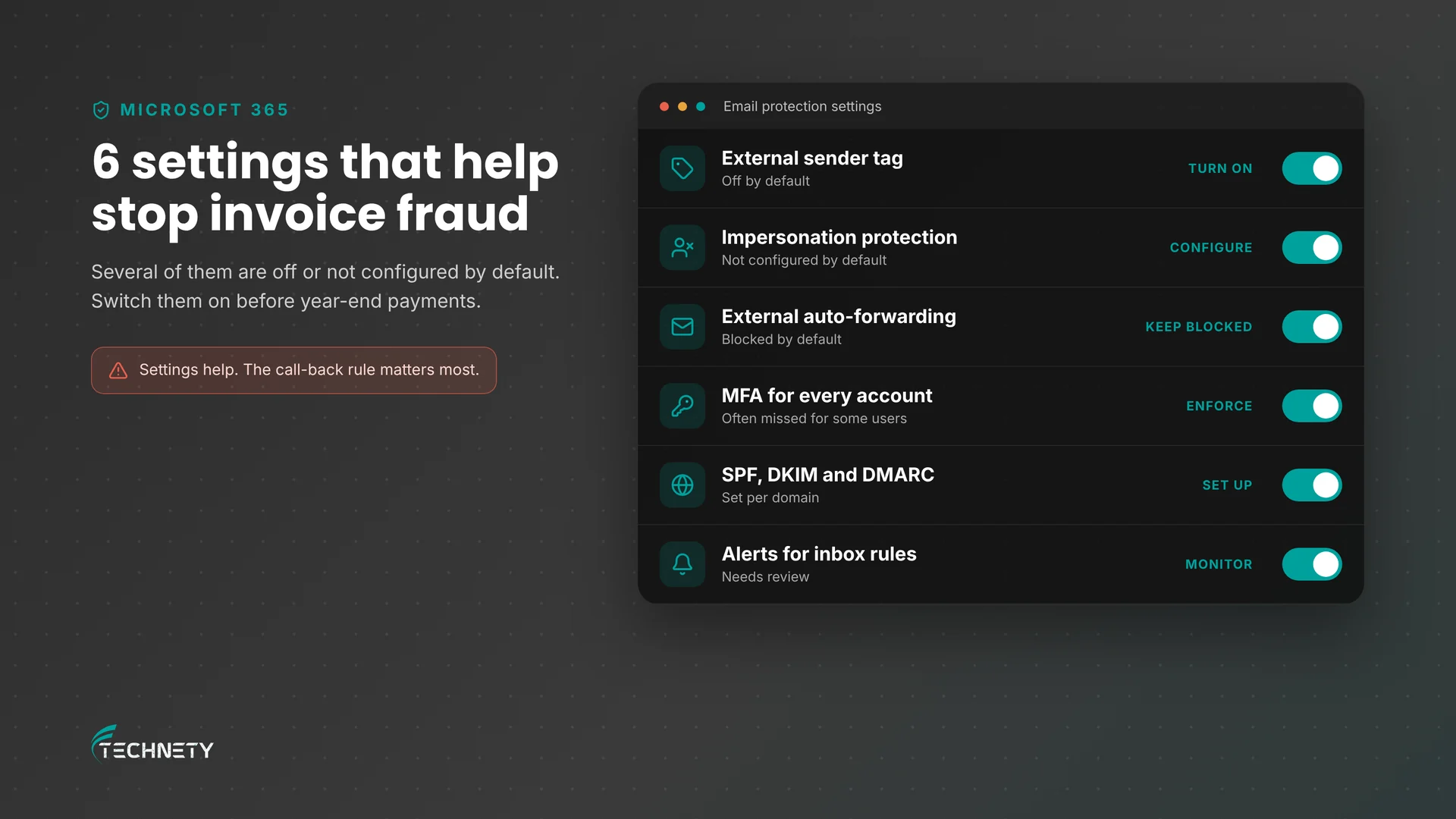
| Area | What good looks like |
|---|---|
| External sender tag | Outlook shows an “External” tag on every email from outside your company, so a fake “CEO” email from Gmail stands out. It is off by default. |
| Impersonation protection | Defender for Office 365 flags emails that imitate your executives, finance staff and key suppliers. Included in Business Premium but not configured by default. |
| Automatic forwarding | Automatic forwarding to external addresses is blocked, so a hacked mailbox cannot quietly copy your emails to a criminal. |
| Multifactor authentication | Every account uses MFA, ideally phishing-resistant, so stolen passwords alone are not enough. |
| Email authentication | SPF, DKIM and DMARC are set up so criminals cannot easily send email that appears to come from your domain. |
| Reporting | Staff use the Report button in Outlook, and someone reviews what is reported. |
| Alerts | Admins are alerted to suspicious inbox rules and unusual sign-ins. |
For more on the last three, see why MFA isn’t enough anymore and what DMARC is and why your business needs it.
How do you turn on the External tag in Outlook?
Microsoft’s external sender identification adds an “External” label to messages from outside your organization in Outlook for Windows, Mac, web and mobile. An admin turns it on once with Exchange Online PowerShell:
- On a Windows computer, press Win, type PowerShell and open Windows PowerShell.
- Connect to Exchange Online (install the module first if needed) and sign in with an admin account:
Connect-ExchangeOnline
- Turn on the External tag:
Set-ExternalInOutlook -Enabled $true
Microsoft notes it can take 24 to 48 hours before staff see the tag. If you already add “[EXTERNAL]” to subject lines with a mail flow rule, turn that rule off to avoid double tags.
What payment process stops invoice fraud?
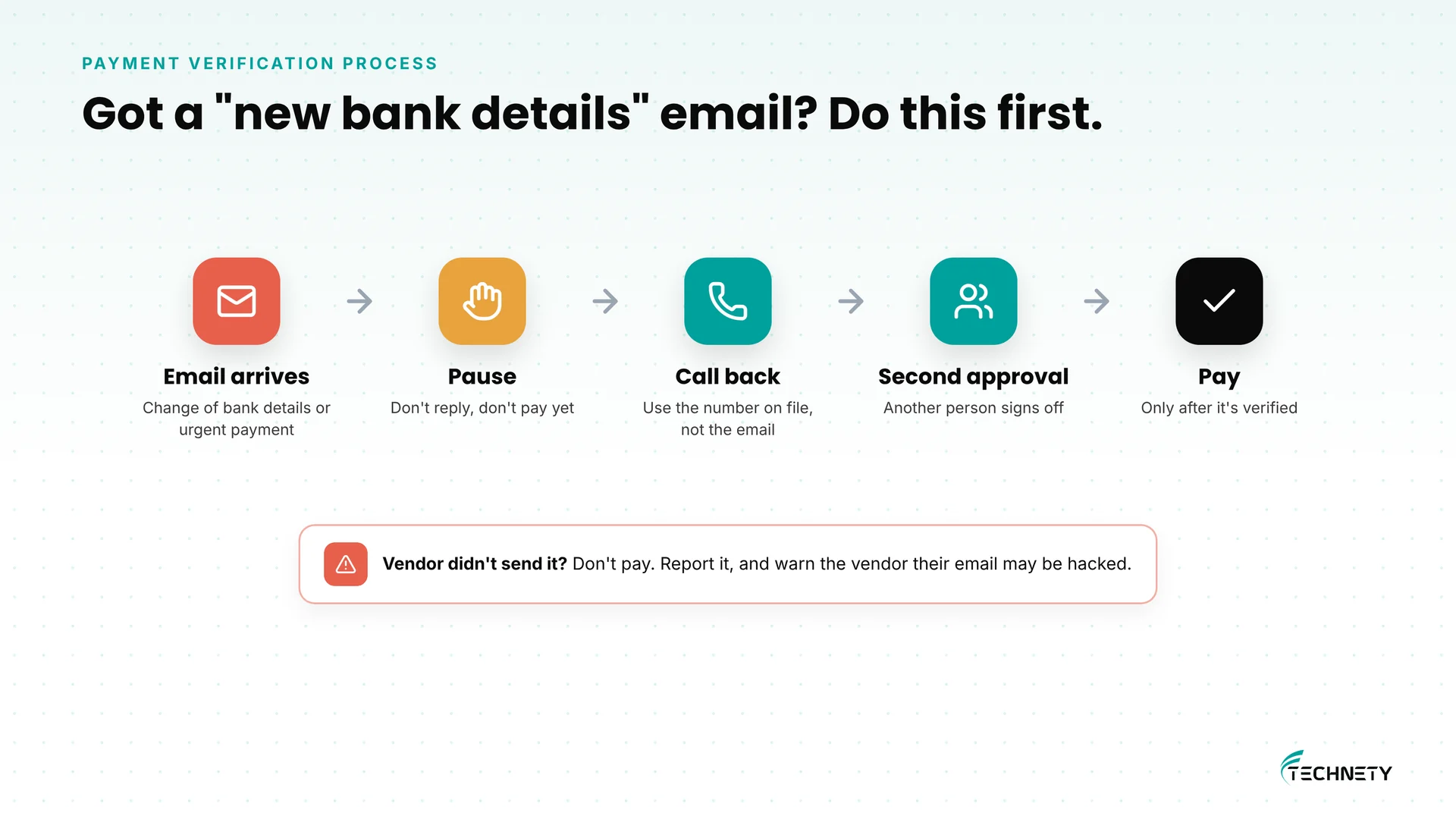
Technology helps, but invoice fraud is ultimately a business process problem. A short written rule protects you even when an email looks perfect:
- Pause: treat any request to change banking details, or any urgent payment request, as suspicious until verified.
- Call back: phone the vendor on a number you already have on file, not the number in the email.
- Second approval: a second person approves any banking change and any payment above a set amount.
- Record it: note who confirmed the change, when and on which number.
- Then pay: only after the change is verified and approved.
What should you do if you’ve already paid a fake invoice?
- Call your bank immediately and ask them to recall or freeze the payment. Minutes and hours matter.
- Report it to your local police and the Canadian Anti-Fraud Centre at 1-888-495-8501. The CAFC notes that reporting quickly may improve the chance of recovering funds.
- Secure the mailbox if it came from inside your company: reset the password, sign the user out of all sessions, and check for inbox rules and forwarding.
- Warn the real vendor so they can check whether their own email was hacked.
- Keep everything: emails, invoices and bank records help investigators and your insurer.
What does this look like in practice?
This is an illustrative example based on a typical setup, not a specific client.
Where they started: A 12-person Ottawa construction company paid suppliers by email invoice, with one bookkeeper approving everything. Outlook showed no external tags, impersonation protection was never configured, and two staff did not have MFA.
What changed: The company turned on the External tag, set up impersonation protection for the owner, the bookkeeper and its top suppliers, confirmed external auto-forwarding was blocked, enforced MFA for everyone and wrote a one-paragraph call-back rule for banking changes.
The result: In December, the bookkeeper received a “new bank details” email from a familiar supplier. She followed the rule, called the number on file, and learned the supplier’s mailbox had been hacked. The payment went to the right account, and the supplier was able to warn its other customers.
How Technety helps
Technety manages and secures Microsoft 365 for small businesses in Ottawa. As part of our Microsoft 365 administration and security service, we can help you:
- Turn on the External tag and configure impersonation protection
- Check that external auto-forwarding is blocked and MFA is enforced
- Set up SPF, DKIM and DMARC for your domain
- Set alerts for suspicious inbox rules and sign-ins
- Write a simple payment verification rule your team can follow
Frequently asked questions
What is invoice fraud?
Invoice fraud is when a criminal pretends to be a supplier, client or colleague by email and tricks your business into sending a payment to their bank account, usually through a fake invoice or a “new banking details” request.
Can Microsoft 365 stop invoice fraud on its own?
No. Microsoft 365 settings such as the External tag, impersonation protection and MFA reduce the risk, but a convincing email from a hacked supplier can still get through. A call-back rule for banking changes is the most reliable defence.
Is impersonation protection included in Microsoft 365?
Impersonation protection is part of Microsoft Defender for Office 365, which is included in Microsoft 365 Business Premium. It is not configured by default, so someone needs to add your key people and domains.
How do I turn on the External tag in Outlook?
An admin connects to Exchange Online PowerShell and runs Set-ExternalInOutlook -Enabled $true. It can take 24 to 48 hours for the tag to appear.
What should I do if we paid a fake invoice?
Call your bank right away to try to recall the payment, then report it to your local police and the Canadian Anti-Fraud Centre at 1-888-495-8501. Secure any affected mailbox and warn the real vendor.
How do criminals know which invoices we’re expecting?
Usually by reading emails in a hacked mailbox, either yours or your supplier’s. That is why MFA and alerts for suspicious inbox rules matter.
Should we stop paying invoices by email?
You don’t need to. Just never change banking details based on an email alone, and verify changes by calling a number you already have on file.
Protect your year-end payments
Technety offers a free 30-minute Microsoft 365 and security review for Ottawa small businesses. We will check your email protection settings, look for risky forwarding and inbox rules, and help you set up a simple payment verification process before the holidays.
Related reading: signs your Microsoft 365 account has been hacked, what DMARC is, and why MFA isn’t enough anymore.
This article is general information, not legal advice.
Sources
- Canadian Anti-Fraud Centre: $3.5M recovery linked to payment redirection fraud (May 2026)
- Canadian Anti-Fraud Centre and US Secret Service freeze $1.7M fraudulent transfer (January 2026)
- CyberScoop: FBI IC3 2025 annual cybercrime report
- Microsoft Learn: Set-ExternalInOutlook
- Microsoft Learn: Control automatic external email forwarding in Microsoft 365
- Microsoft Learn: Anti-phishing policies in Microsoft 365
Related articles
More practical guides on Microsoft 365, security and IT for Ottawa businesses.