IT Support for Ottawa Insurance Brokers: Protecting Client Data Through Every Renewal
What Ottawa brokerages need from their IT, what RIBO expects, and an eight-point checklist to get there
It’s the busiest week of renewal season. Your team is quoting, binding and answering client calls, and every one of those tasks runs through email, carrier portals and your broker management system. If any of them goes down, or if one staff email account gets taken over, the whole brokerage feels it within the hour.
This guide is written by Technety, an Ottawa-based managed service provider focused on Microsoft 365 administration and security.
What IT support does an Ottawa insurance brokerage need?
An Ottawa insurance brokerage needs IT support that protects client data, secures every carrier portal login, keeps systems running through renewal season, and can show your regulator that security is taken seriously. For most brokerages, that means proper multi-factor authentication, a password manager, protected email, reliable backups, managed devices, staff training and a written security policy, all maintained by someone who answers quickly when something breaks.
Five things every Ottawa broker should know:
- Brokerages hold exactly what attackers want: personal information, policy details, banking information and access to carrier systems.
- RIBO, Ontario’s broker regulator, has been asking brokers about cyber security, including training, written policies and how breaches are handled.
- As private-sector businesses, brokerages generally fall under PIPEDA, Canada’s private-sector privacy law, which includes breach reporting rules.
- Carrier portal logins are often shared or reused, which is one of the most common gaps in brokerage security.
- Most of the protection you need is already included in Microsoft 365. It just has to be configured and maintained.
Why are insurance brokerages a target?
Brokerages combine valuable personal data, payments and trusted relationships, which makes them an efficient target for criminals.
A single brokerage inbox can contain driver’s licence details, home addresses, policy documents, claims history and banking information for hundreds of clients. Brokers also move money and issue payment instructions, which makes them a target for invoice and payment fraud. And because clients and carriers trust emails from their broker, a hacked broker mailbox can be used to trick everyone the brokerage works with.
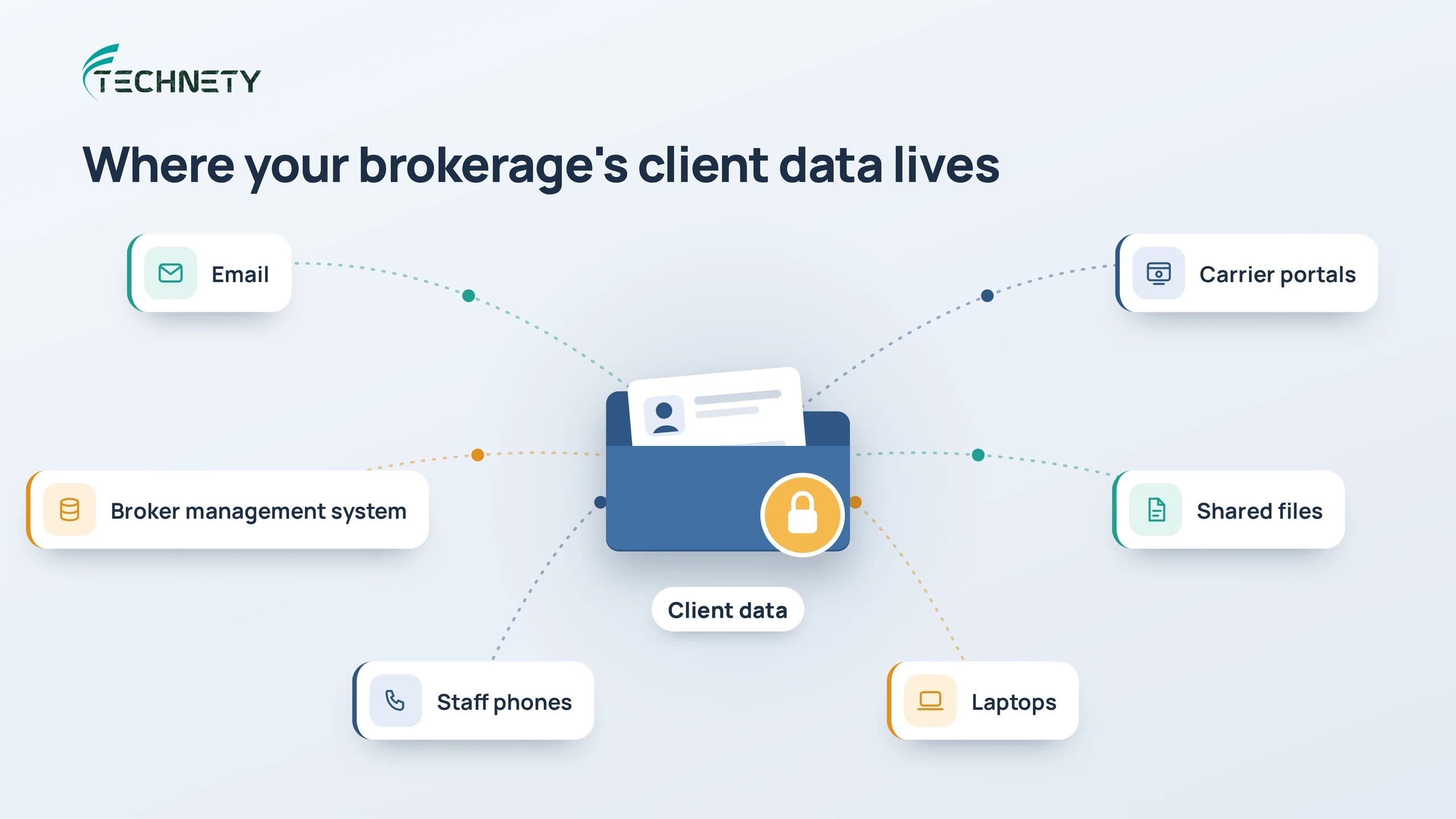
Client data doesn’t live in one place. It moves between email, carrier portals, your broker management system, shared files, laptops and staff phones. Each of those is a path in, so each needs protecting.
What does RIBO expect from brokers on cyber security?
RIBO has been asking Ontario brokers whether they have a meaningful cyber security program, and whether staff know how to handle an incident and report it to RIBO.
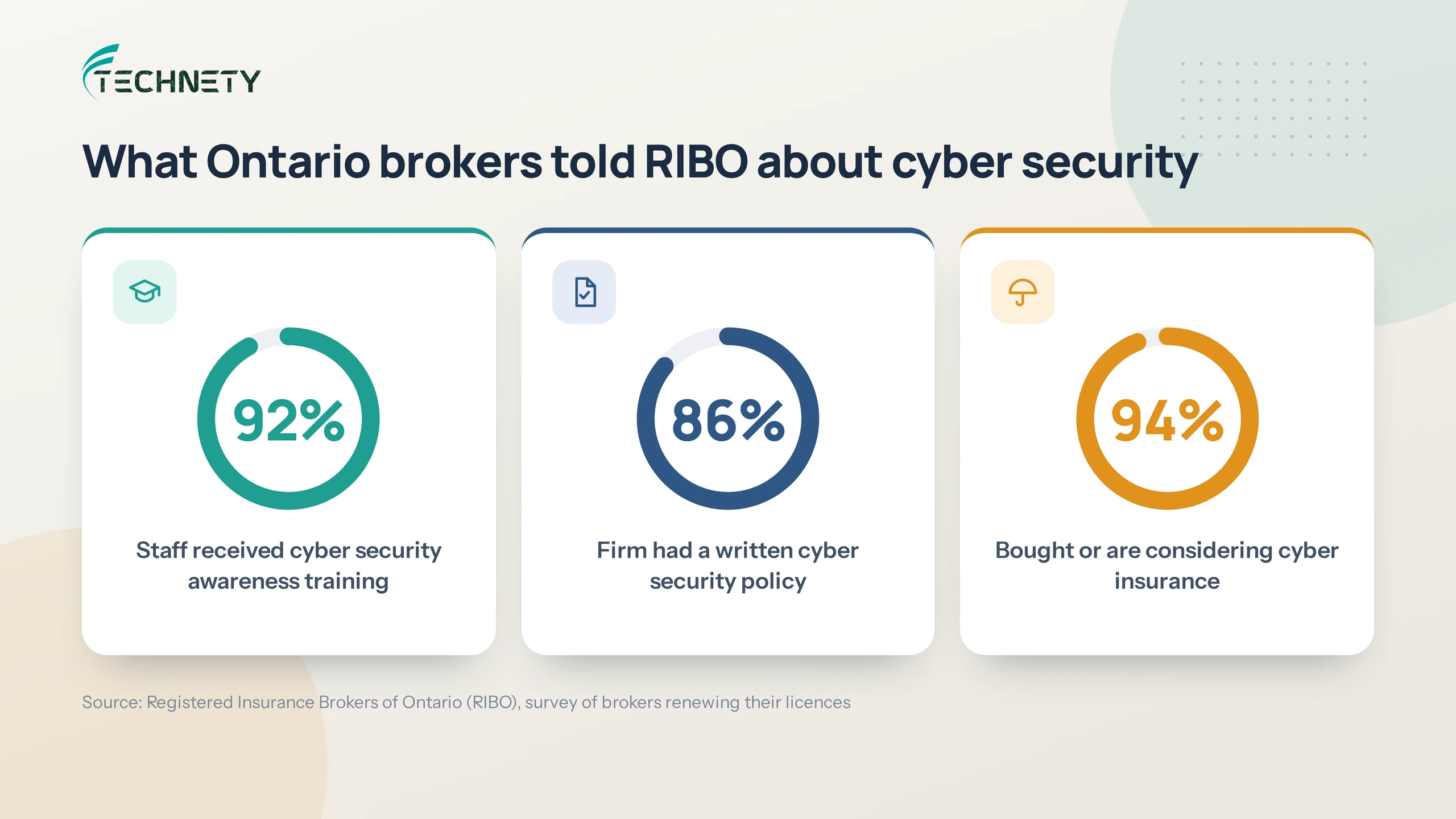
When RIBO surveyed brokers renewing their licences, 92% said their staff received cyber security awareness training, but only 86% said their firm had a cyber security policy in place. 94% said their brokerage had bought or was considering cyber insurance. RIBO’s advice was clear: provide staff with awareness training and put a cyber security policy in place before an incident happens.
Brokerage leaders have also noted that RIBO audits can include questions about a brokerage’s cyber hygiene. Having your security measures documented makes those conversations far easier.
Privacy law applies too. Under PIPEDA, businesses must report breaches of security safeguards that create a real risk of significant harm, notify affected individuals and keep records of all breaches.
What should a brokerage’s IT setup include?
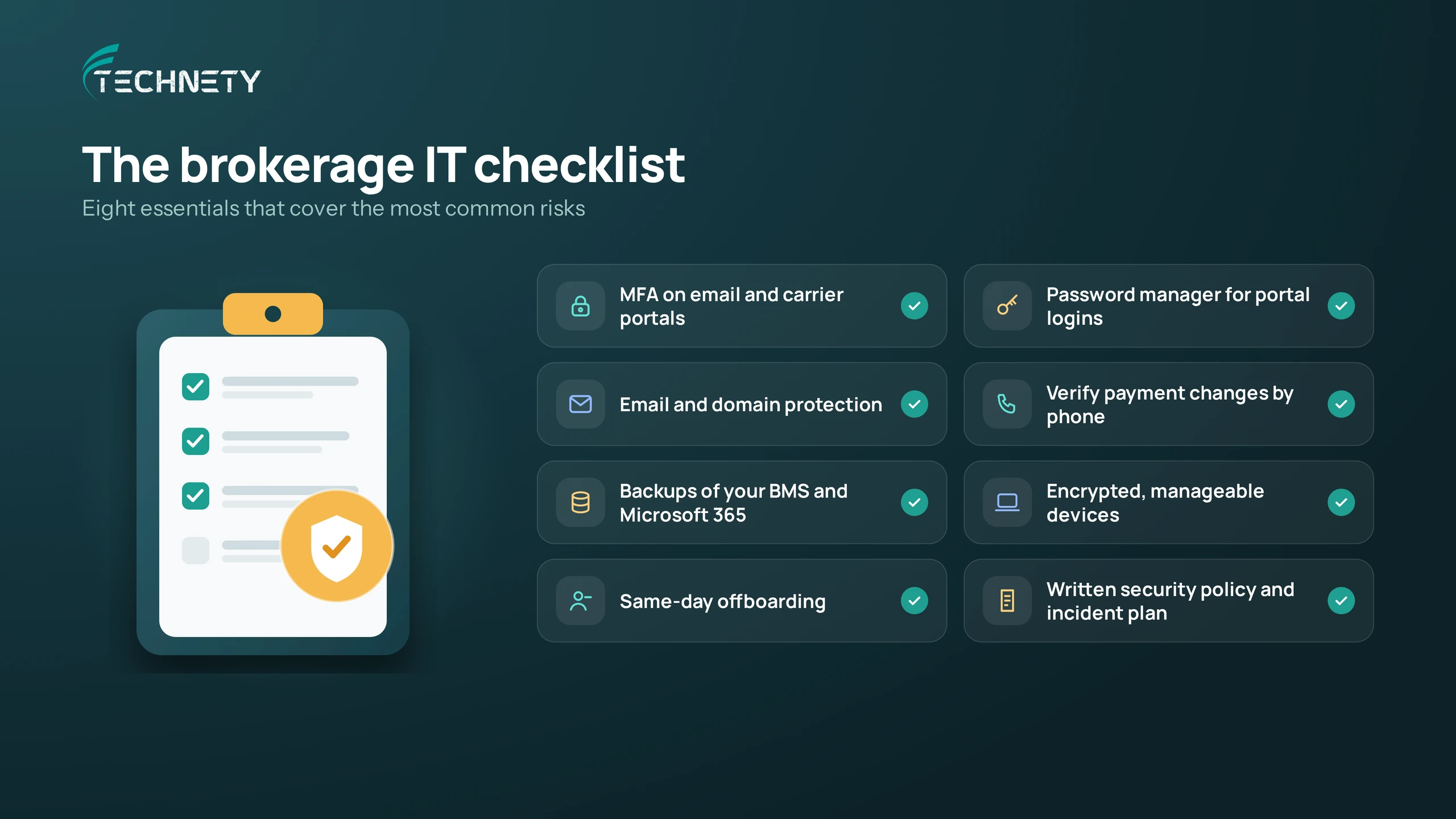
Eight areas cover the most common risks for a small or midsize brokerage.
| Area | What good looks like |
|---|---|
| Sign-ins | Multi-factor authentication on every email account and every carrier portal that supports it. Our article on why MFA isn’t enough anymore explains the next layer |
| Carrier portal logins | A business password manager, so logins are unique, strong and never shared in spreadsheets or sticky notes |
| Email and domain | Phishing protection and a properly configured domain, so criminals can’t send emails that look like yours. See what DMARC is and why it matters |
| Payments | A firm rule to confirm any new or changed banking details by phone, using a number you already have on file |
| Backups | Regular, tested backups of your broker management system and your Microsoft 365 data. Here’s why Microsoft 365 isn’t automatically backed up |
| Devices | Encrypted laptops and phones that can be locked or wiped remotely if lost or stolen |
| Staff changes | Same-day removal of access when someone leaves, including carrier portals. Our guide on who still has access to your Microsoft 365 shows where to look |
| Policy and response | A written cyber security policy, staff training and a simple plan for what to do, and who to notify, if something goes wrong |
Several of these, such as Conditional Access and device management, need Microsoft 365 Business Premium. Our comparison of Business Basic, Standard and Premium explains which plan each staff member needs.
How do you keep IT running through renewal season?
Renewal season is the worst time for an outage, so the goal is to catch problems before your busiest weeks, not during them.
That means monitoring your systems so issues are spotted early, applying updates on a schedule that avoids peak periods, and checking backups and internet connections before renewals ramp up. Just as important is having someone you can reach quickly when something does break, because a frozen laptop on the 28th of the month costs more than it would on the 5th.
What does this look like in practice?
Picture an eight-person Ottawa brokerage preparing for its RIBO review.
Where they started: staff signed in to carrier portals with shared logins saved in a spreadsheet. Two former employees still had working email accounts. There was no written security policy, and backups of the broker management system had never been tested.
What changed: the brokerage turned on multi-factor authentication for all email accounts, moved every carrier login into a business password manager with individual access, and closed the two old accounts. A one-page cyber security policy and incident plan were written, staff completed a short phishing training session, and a test restore of the broker management system confirmed backups actually worked.
The result: when the review came, the brokerage could show exactly what it had in place, with documentation to back it up. And renewal season ran without a single security scare.
How Technety helps Ottawa brokerages
Technety is an Ottawa-based IT provider that helps small and midsize businesses, including insurance brokerages, protect client data and keep their systems running. We provide proactive IT support, Microsoft 365 management and security and cybersecurity awareness training, and we help brokerages document their security so regulator questions are easy to answer. If you’re comparing providers, our guide on how to choose an IT provider in Ottawa covers the questions to ask.
Frequently asked questions
Does RIBO require brokerages to have a cyber security policy?
RIBO has encouraged brokerages to put a cyber security policy in place and to train staff, and its audits can include questions about cyber hygiene. Check RIBO’s Principal Broker Handbook and cyber security resources for current expectations.
Does PIPEDA apply to insurance brokers in Ontario?
Generally, yes. Insurance brokerages are private-sector businesses that collect personal information in commercial activities, so PIPEDA’s privacy and breach reporting rules typically apply.
How should we manage carrier portal passwords?
Use a business password manager that gives each staff member their own access, so logins are never shared in spreadsheets. When someone leaves, you remove their access in one place.
What’s the biggest cyber risk for a small brokerage?
For most brokerages, it’s a compromised email account. One stolen password can expose client files and be used to send fraudulent payment requests to clients and carriers.
Is Microsoft 365 secure enough for a brokerage?
It can be, if it’s configured properly. Microsoft 365 includes strong security features, but many need to be turned on and maintained. Business Premium adds tools like Conditional Access and device management that suit brokerages well.
Do we need cyber insurance if our IT is secure?
Strong IT security reduces your risk, and cyber insurance covers what’s left. Insurers increasingly ask about controls like multi-factor authentication and training before offering coverage, so good IT also helps you get insured.
How often should a brokerage test its backups?
At least a few times a year, and always before renewal season. A backup that has never been restored is a backup you can’t rely on.
Getting ready for your next RIBO review or renewal season?
Technety offers a free 30-minute IT and security review for Ottawa insurance brokerages. We’ll look at your sign-ins, carrier portal access, backups and devices, and tell you plainly what needs attention. Book your free review.
This article is general information, not legal advice.
Sources
Related articles
More practical guides on Microsoft 365, security and IT for Ottawa businesses.