
Microsoft 365 Outage: What Small Businesses Should Do Now and Before the Next One
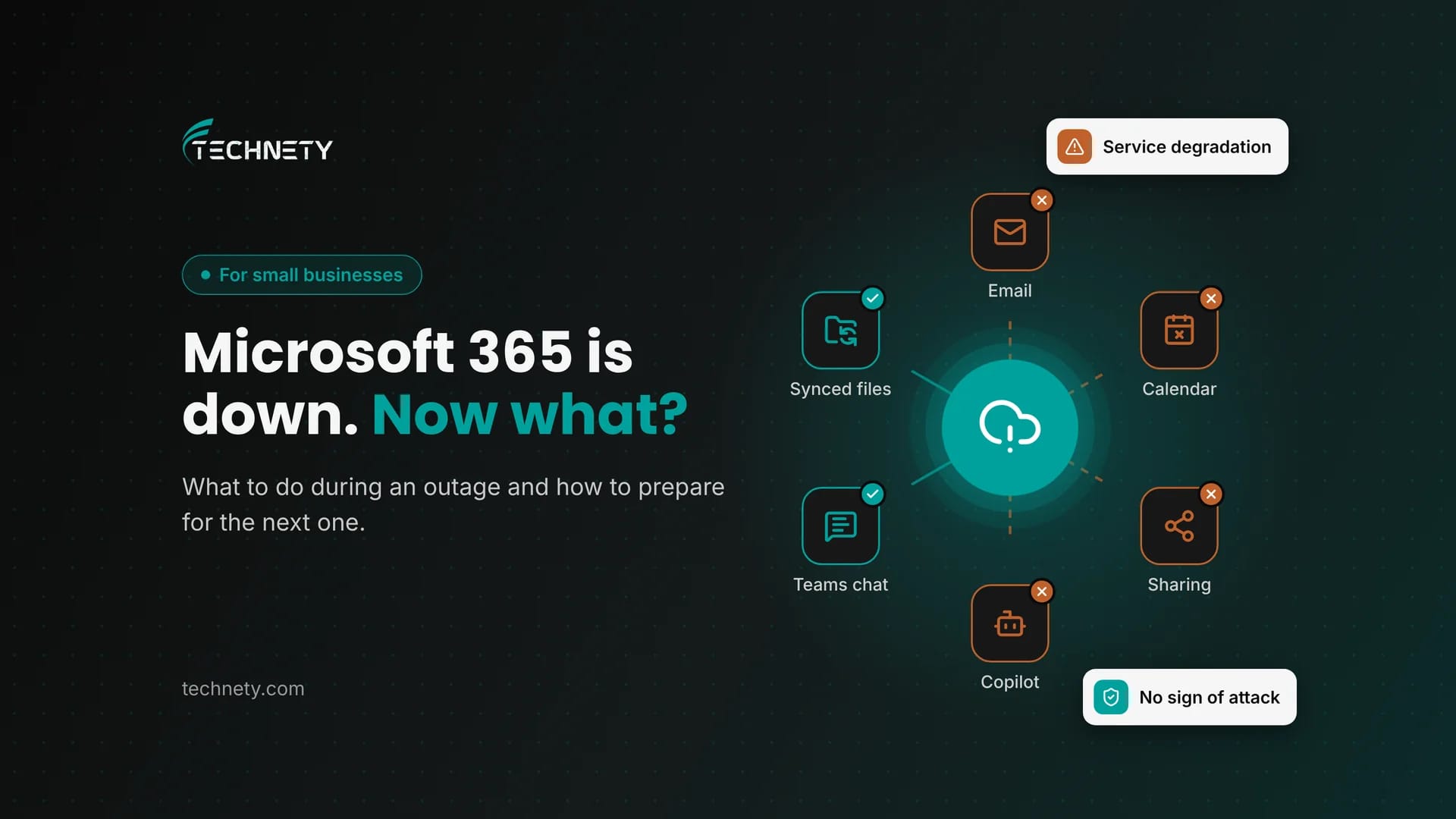
What happened on November 12, what kept working, and a one-page outage plan your team can use next time
It is late Thursday morning. A client calls to ask why you never answered their email. You open Outlook and it spins. Teams shows your chats, but the calendar is blank. Someone in the office asks if you have been hacked. Nobody knows if this is your problem or Microsoft’s.
This guide is written by Technety, an Ottawa-based managed service provider focused on Microsoft 365 administration and security.
Short answer: on November 12, 2026, Microsoft 365 had a large outage that started with Exchange Online (Outlook email) and spread to 18 other services, including Teams calendars, SharePoint sharing, Copilot, Intune and Purview. Microsoft said it found no evidence of malicious activity. During an outage, small businesses should confirm the issue in Microsoft 365 Service health or on Microsoft’s public status page, keep working with what runs offline, avoid resetting passwords or reinstalling apps, and write a one-page outage plan before the next one.
November 12, 2026 Microsoft 365 outage at a glance
| Date | Thursday, November 12, 2026, with recovery continuing on November 13 |
|---|---|
| Start | About 16:17 UTC (11:17 a.m. Eastern) |
| First service hit | Exchange Online (business Outlook email) |
| Services affected | Exchange Online plus 18 others, including Teams, SharePoint Online, Microsoft 365 Copilot, Defender, Intune, Purview, Planner, To Do and Universal Print |
| Cause (per Microsoft) | A large number of servers became unexpectedly unavailable, pushing load onto the remaining infrastructure. Not caused by a traffic surge. |
| Cyberattack? | Microsoft reported no evidence of malicious activity |
| Microsoft incident IDs | EX1550543 (Exchange Online) and MO1550821 (Microsoft 365) |
| Root cause report | Microsoft committed to publishing a full Post-Incident Report after recovery |
Five things every small business should know
- Outages are not rare. Microsoft 365 uptime for the first quarter of 2026 was 99.526%, the lowest quarterly figure Microsoft has published, and several large incidents have followed.
- Delayed email is usually not lost email. During the November 12 outage, mail queued up and was delivered as service recovered.
- A lot still works offline: desktop Office apps, files synced by OneDrive, and email already downloaded to Outlook.
- Do not “fix” an outage on your own computers. Resetting passwords, signing out or reinstalling Office usually makes things worse.
- Your staff contact list and client message should live somewhere outside Microsoft 365.
What is a Microsoft 365 outage?
A Microsoft 365 outage is a period when one or more Microsoft cloud services, such as Exchange Online, Teams or SharePoint, are unavailable or degraded for many customers at once because of a problem on Microsoft’s side. Microsoft labels these incidents as a “service degradation” or “service interruption” in Service health. An outage is different from a problem inside your own organization, such as a single locked account, a misconfigured device or a compromised mailbox.
What happened in the November 12 Microsoft 365 outage?
On Thursday, November 12, 2026, users began losing access to their mailboxes in Exchange Online, the service behind business Outlook accounts. Microsoft first reported elevated load on its infrastructure across multiple regions. It later explained that the load was not caused by a jump in traffic. A large number of servers had become unexpectedly unavailable, which pushed their work onto the remaining servers.
Because so many Microsoft 365 services rely on Exchange Online, the impact spread. By Friday morning, Microsoft’s incident notice listed 18 affected services besides Exchange Online, including:
- Exchange Online: users could not open mailboxes in Outlook on the web, Outlook desktop or mobile, and email delivery was delayed.
- Microsoft Teams: calls, meetings, group chats and channel messages mostly worked. Calendars, scheduling and meeting invites failed.
- SharePoint and OneDrive: files stayed accessible, but sharing with people outside the organization had problems.
- Copilot, Purview, Defender, Intune, Planner, To Do and Universal Print: various features failed or were delayed.
- Microsoft 365 admin center: some pages would not load, which is why Microsoft also posted updates on its public status page.
In its Friday update, Microsoft said email queues were approaching normal levels, that it had no evidence of malicious activity, and that it would publish a full Post-Incident Report with the root cause once recovery is complete.
How do you check if Microsoft 365 is down or if it is just you?
Check in this order. It takes two minutes.
- Service health in the admin center: if you are an admin, go to admin.microsoft.com, then Health, then Service health. Microsoft recommends this as the main source because it shows incidents for your own tenant.
- Microsoft’s public status page: if the admin center will not load, open status.cloud.microsoft. Microsoft uses this page as a backup when admins cannot reach Service health.
- Microsoft 365 Status on X: @MSFT365Status posts updates during large outages.
- Microsoft 365 Admin mobile app: turn on push notifications so you hear about incidents before your staff do.
- Ask a colleague: if everyone is affected at the same moment, it is almost certainly a service issue.
If you are affected but Microsoft lists nothing, use Report an issue on the Service health page so Microsoft can check whether the problem is wider.
Is it a Microsoft 365 outage or a hacked account?
| Sign | Microsoft 365 outage | Hacked account |
|---|---|---|
| Who is affected | Many users, often in many companies, at the same time | Usually one user or a few |
| Service health | Shows an active incident | Shows nothing unusual |
| Error messages | Connection errors, spinning apps, “try again later” | Normal sign-in that you did not do, or unexpected password prompts |
| Mailbox | Cannot open at all | Opens, but has strange rules, forwarding or sent items |
| MFA prompts | None you did not expect | Prompts nobody requested |
| What to do | Wait, work offline, follow updates | Act now: reset the password, revoke sessions, call your IT provider |
Our guide on how to tell if your Microsoft 365 account has been hacked covers the warning signs in more detail.
What still works during a Microsoft 365 outage?
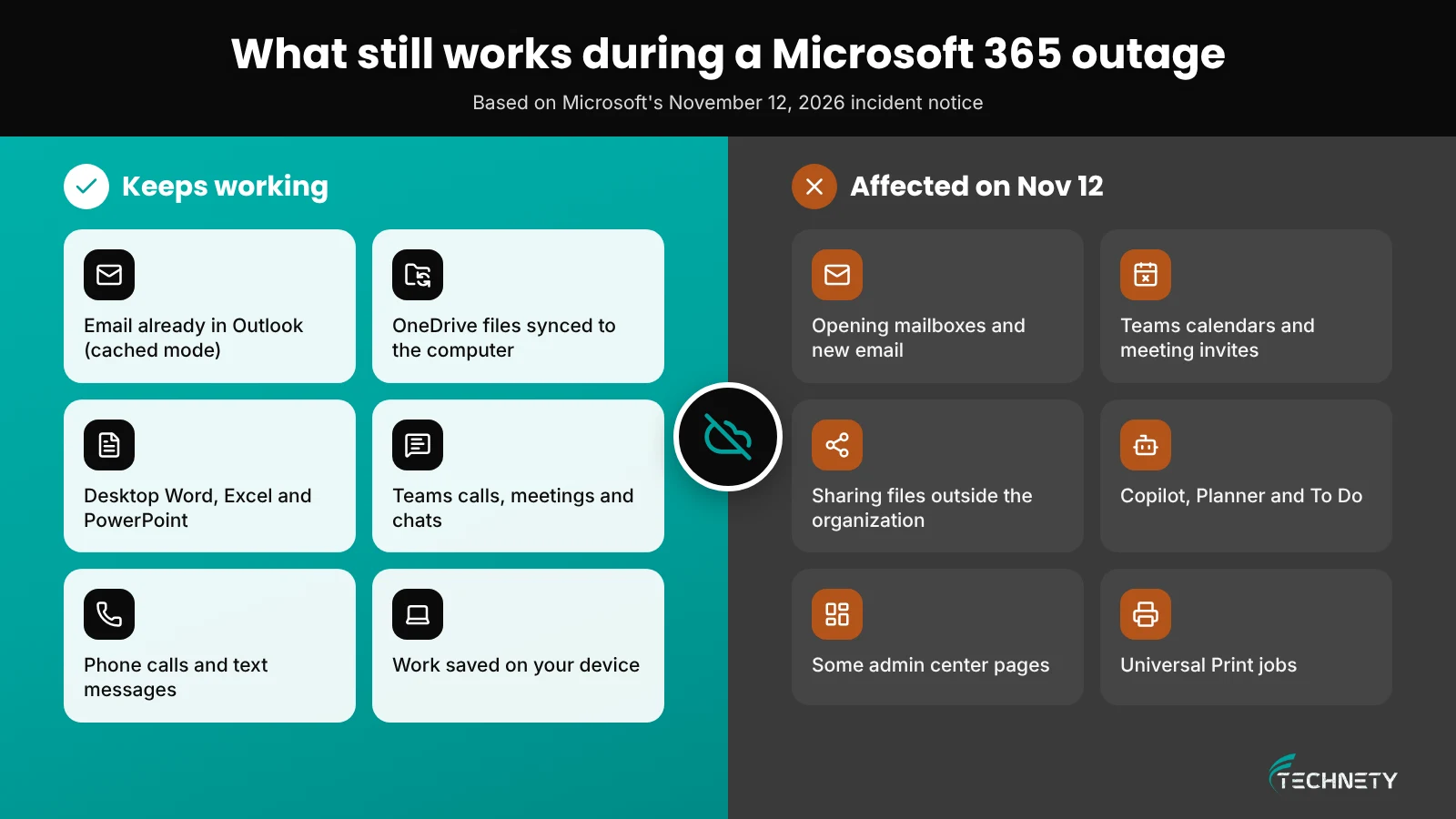
Every outage is different, but these usually keep your team productive:
- Outlook desktop in cached mode: email already downloaded stays readable and searchable. New messages wait in the Outbox and send once service returns.
- OneDrive synced files: files synced to the computer open and save normally. Changes upload when the service recovers.
- Desktop Word, Excel and PowerPoint: they work on local and synced files without a connection to Microsoft.
- Teams calls and chats: on November 12, most of this kept working even while Outlook was down.
- Your phones: a phone call or text message never depends on Microsoft 365.
What should you avoid doing during an outage?
- Do not reset passwords. A password change during an outage can lock people out once service returns.
- Do not sign out of apps or reinstall Office. During this incident, Microsoft itself advised some users that staying signed in could avoid impact. Signing out can leave you unable to sign back in until recovery.
- Do not change security settings in a hurry. Turning off MFA or Conditional Access “to get people working” opens a real security gap and rarely fixes a Microsoft-side problem.
- Do not switch to personal email for client data. It creates a privacy problem that outlives the outage.
What should a small business outage plan include?
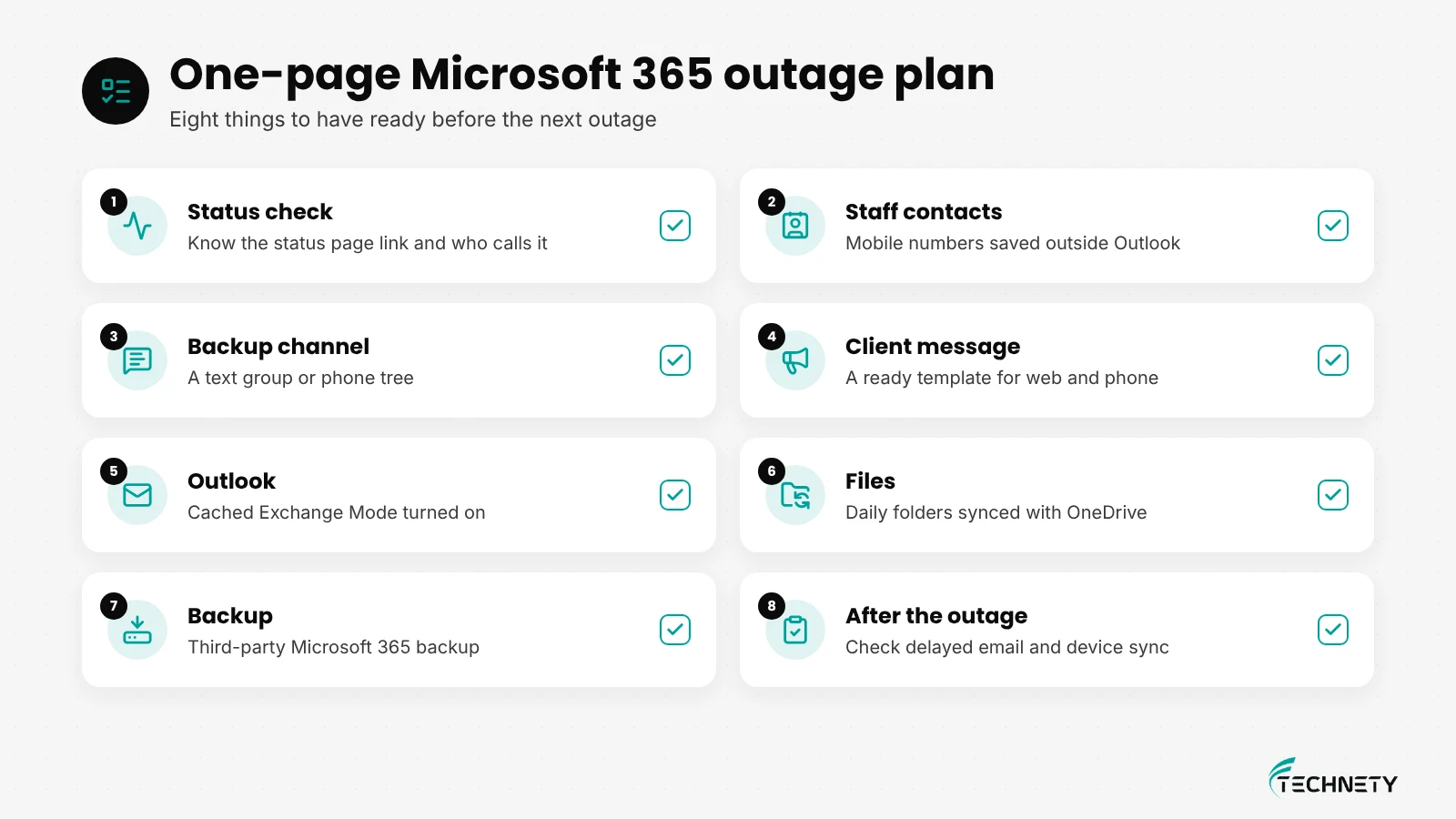
You do not need a thick binder. One page that everyone can find without Microsoft 365 is enough. Microsoft’s own incident readiness guidance also recommends preparing before an incident, not during one.
| Area | What good looks like |
|---|---|
| Status check | Staff know where to check and who decides “this is an outage.” |
| Staff contact list | Names and mobile numbers saved on phones or printed, not only in Outlook. |
| Backup channel | A text group or phone tree for updates when email and Teams are down. |
| Client message | A short template ready for your website, phone greeting or social pages. |
| Outlook settings | Cached Exchange Mode turned on, so recent email is available offline. |
| Files | Key folders synced with OneDrive so daily work continues offline. |
| Backup | A third-party Microsoft 365 backup, so copies of email and files exist outside Microsoft. |
| After the outage | Check for missing or delayed email, confirm devices are syncing, and read Microsoft’s post-incident report. |
Backups are not only for outages, but they help here too. Read why Microsoft 365 is not automatically backed up.
Will you lose emails sent during an outage?
Usually not. When Exchange Online is struggling, incoming mail queues on the sending side or inside Microsoft and is delivered as service recovers. On November 12, Microsoft reported email queues returning to normal as recovery progressed. After any outage, it is still worth asking clients to resend anything time-sensitive and checking that important messages arrived.
Does Microsoft compensate businesses for Microsoft 365 outages?
Microsoft publishes a financially backed Service Level Agreement for Online Services with a 99.9% monthly uptime target for core services like Exchange Online, Teams, SharePoint and OneDrive. If a service falls below that target, eligible customers can claim a service credit on that service’s fees. Credits are not automatic: a claim has to be filed, uptime is calculated per service and per month, and Microsoft reviews each claim. If you buy Microsoft 365 through a Cloud Solution Provider, ask them how they handle SLA claims, because terms can vary. For most small businesses, the credit is small next to the cost of a lost day.
How often does Microsoft 365 go down in 2026?
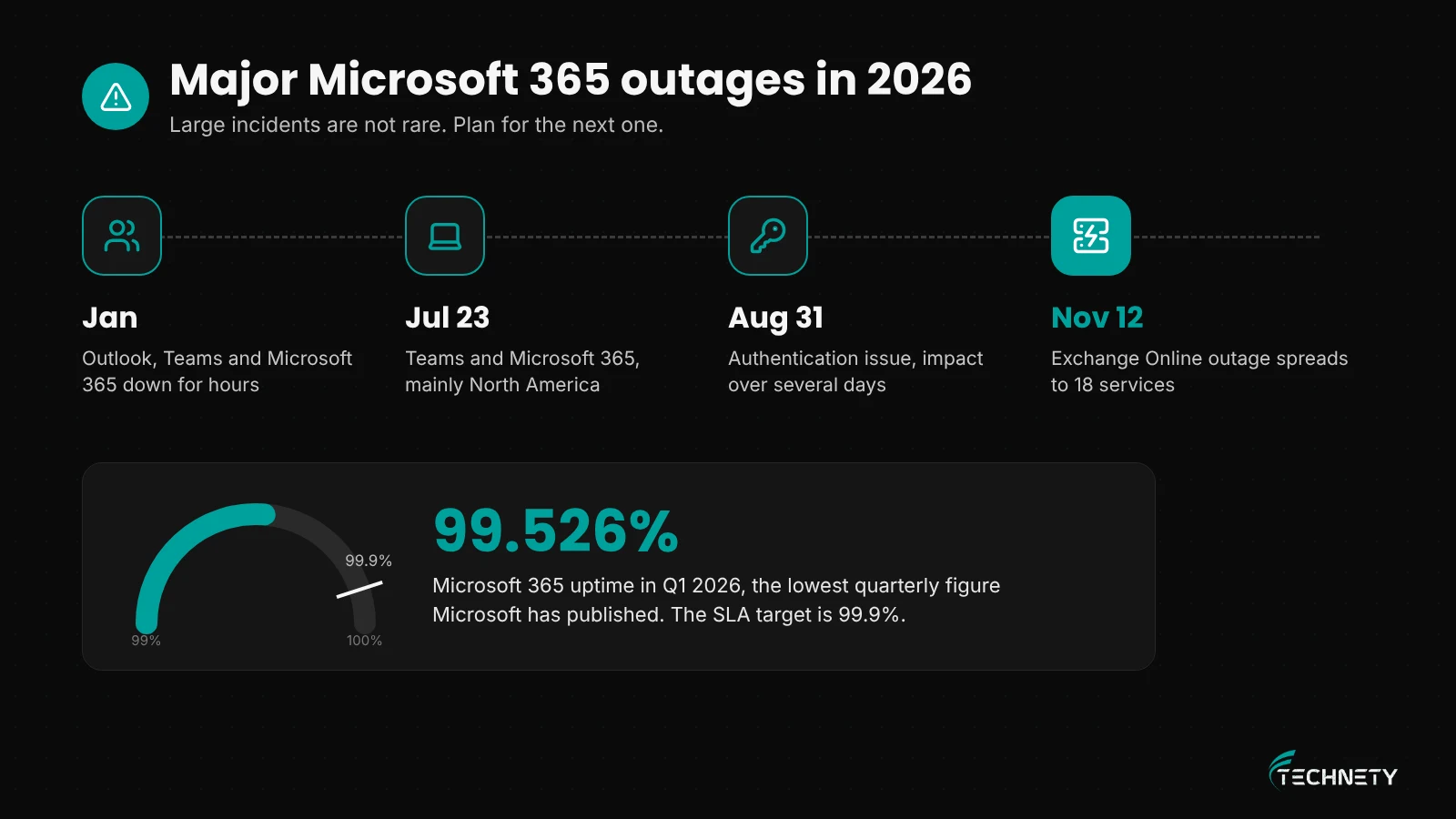
Small interruptions happen often and many never affect your tenant. Large ones are less common, but 2026 has been a rough year. Major incidents hit in January, July 23, August 31 and November 12. Microsoft’s uptime figure for the first quarter of 2026 was 99.526%, below its 99.9% SLA target and the lowest quarterly figure it has published. Microsoft 365 is still very reliable overall. It is just not immune, and no cloud service is.
What does this look like in practice?
This is an illustrative example based on a typical setup, not a specific client.
Where they started: A 10-person Ottawa property management office ran everything on Microsoft 365. Staff phone numbers lived only in Outlook. Files were opened from SharePoint in the browser, and Outlook was set to online mode. When an outage hit, the team could not read email, could not open shared files quickly and could not reach two staff working from home.
What changed: The office turned on Cached Exchange Mode, synced the shared folders each person uses daily through OneDrive, added a third-party backup, created a staff text group and wrote a one-page outage plan with a ready-made client message.
The result: During the next outage, the office manager checked Service health, sent one text to the team and posted a short notice on the website. Staff kept working from synced files and cached email. When service returned, queued email arrived and nobody had to rebuild their day.
How Technety helps
Technety manages and secures Microsoft 365 for small businesses in Ottawa. As part of our Microsoft 365 management and security and Proactive IT Support services, we can help you:
- Watch Microsoft service health and tell your team quickly when an outage is Microsoft’s, not yours
- Set up Outlook and OneDrive so people can keep working offline
- Put a third-party Microsoft 365 backup in place
- Write a simple one-page outage plan and client message template
- Review security settings so a rushed fix never opens a gap
Frequently asked questions
Was the November 12 Microsoft 365 outage a cyberattack?
Microsoft said it found no evidence of malicious activity. It linked the outage to a large number of servers becoming unexpectedly unavailable and said it would publish a full root cause report after recovery.
How do I check if Microsoft 365 is down?
Admins should check Health and then Service health in the Microsoft 365 admin center. If that will not load, use status.cloud.microsoft or follow @MSFT365Status on X. If everyone in the office is affected at once, it is likely a service outage.
Will I lose emails sent to me during an outage?
Usually not. Mail is queued and delivered when service recovers. Ask clients to resend anything urgent and check for missing messages afterwards.
Can my team keep working while Microsoft 365 is down?
Often, yes. Outlook in cached mode, OneDrive synced files and desktop Office apps work without a live connection. Teams calls and chats also kept working during most of the November 12 outage.
Should we reset passwords during an outage?
No. Password resets, signing out and reinstalling Office can lock people out once service returns. Only reset a password if you suspect that one account has been compromised.
Does Microsoft give refunds for outages?
Microsoft offers service credits under its Service Level Agreement when a service falls below 99.9% monthly uptime. Credits must be claimed and are reviewed case by case.
Should we switch away from Microsoft 365 because of outages?
Every cloud platform has outages, including Google Workspace. For most small businesses, a good outage plan, offline access and an independent backup are a better answer than moving platforms.
Ready for the next outage?
Technety offers a free 30-minute Microsoft 365 and security review for Ottawa small businesses.
Related reading: MFA isn’t enough anymore, who still has access to your Microsoft 365, and Business Basic vs Standard vs Premium.
This article is general information, not legal advice.
Sources
- Microsoft 365 Service health notices for incidents EX1550543 and MO1550821 (November 12 and 13, 2026), also posted on the Microsoft 365 status page
- Microsoft Learn: How to check Microsoft 365 service health
- Microsoft Learn: Microsoft 365 incident readiness
- Microsoft: Service Level Agreements for Online Services
- HCAMag: Microsoft outage disrupts Outlook and Teams for businesses worldwide
- Engadget: Multiple Microsoft 365 services are experiencing an outage
- Office 365 for IT Pros: Microsoft 365 uptime in the first quarter of 2026
Related articles
More practical guides on Microsoft 365, security and IT for Ottawa businesses.