IT Support for Ottawa Law Firms: Protecting Client Confidentiality
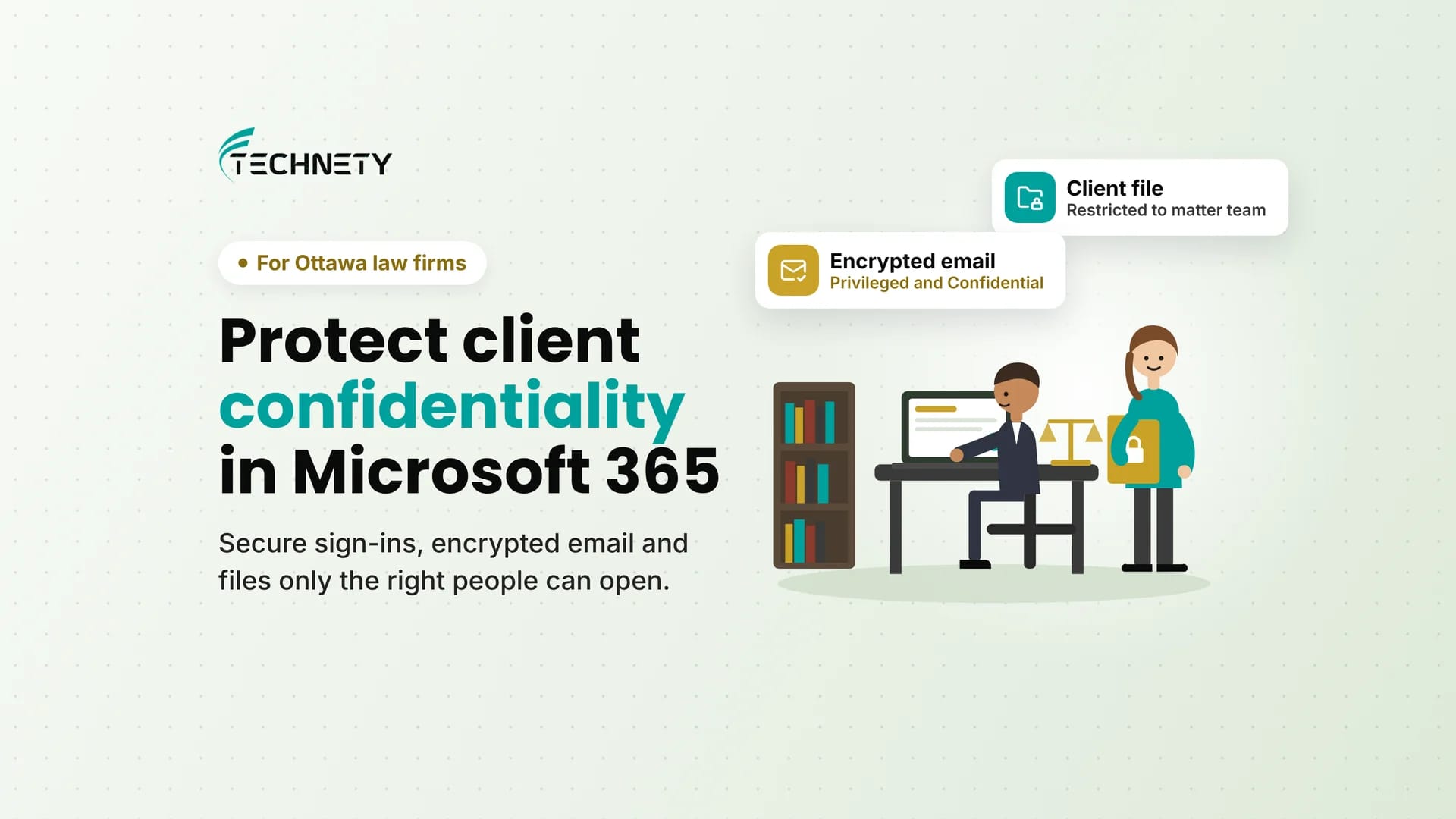
The Microsoft 365 security, email and file setup that small Ottawa law firms need to protect privileged client information
Last updated: November 2026
Reviewed by the Technety Microsoft 365 team
A law clerk at a small Ottawa firm gets a call from someone who says they are from “IT support.” There is a problem with her Microsoft 365 account, and they just need her to approve a sign-in on her phone. She does. Within an hour, someone is reading her inbox, which is full of client files, settlement figures and trust account instructions.
This guide is written by Technety, an Ottawa-based managed service provider focused on Microsoft 365 administration and security.
Short answer: a small law firm protects client confidentiality by securing who can sign in, how client information is sent, and where client files live. In Microsoft 365, that means phishing-resistant multifactor authentication, encrypted email for privileged documents, matter files stored in restricted SharePoint sites instead of personal folders, managed and encrypted devices, and an independent backup. Add a written process for verifying any trust account wire instructions by phone.
Law firm IT security at a glance
| Professional expectation | The Law Society of Ontario’s competence commentary says lawyers should understand and be able to use technology relevant to their practice |
|---|---|
| Biggest threat | Social engineering: phishing emails and calls that trick staff into giving access or redirecting funds |
| Insurance angle | LAWPRO limits social engineering claims to $250,000 unless lawyers take required steps to extend coverage to $1 million |
| Email encryption | Microsoft Purview Message Encryption is included in Microsoft 365 Business Premium, but not in Business Basic or Standard |
| Where client files should live | Matter or practice-group SharePoint sites with restricted access, not personal OneDrive folders or shared drives open to everyone |
| Best single habit | Verify every wire instruction by phone using a number you already have on file |
Five things every small law firm should know
- Most attacks on law firms start with people, not technology: a convincing email or a phone call.
- A normal email attachment is not a secure way to send privileged documents.
- Microsoft 365 Business Premium includes the encryption, device management and threat protection most firms need, but it must be configured.
- Client files scattered across personal folders and old shared drives are hard to protect and hard to find.
- Your insurance coverage for social engineering fraud can depend on the steps your firm takes.
What does IT support for a law firm include?
IT support for a law firm is the ongoing management and security of the technology a firm uses to serve clients: user accounts, email, document storage, laptops and phones, backups and access control. For a small firm, most of this lives in Microsoft 365. Good law firm IT support focuses on keeping privileged client information confidential, keeping the firm running, and making sure staff can work securely from the office, court or home.
What does the Law Society of Ontario expect on technology?
The Law Society of Ontario added commentary to its competence rule (rule 3.1-2) recognizing technological competence. In plain terms, lawyers should develop an understanding of, and ability to use, technology relevant to the nature of their practice, including its benefits and risks. The LSO also publishes a technology practice guideline.
This does not mean every lawyer needs to be an IT expert. It means a firm should be able to show it understands the risks of the tools it uses and has taken reasonable steps to protect client information. Your own regulatory obligations are a question for the Law Society or your own counsel, not your IT provider.
Where is client confidentiality most at risk?
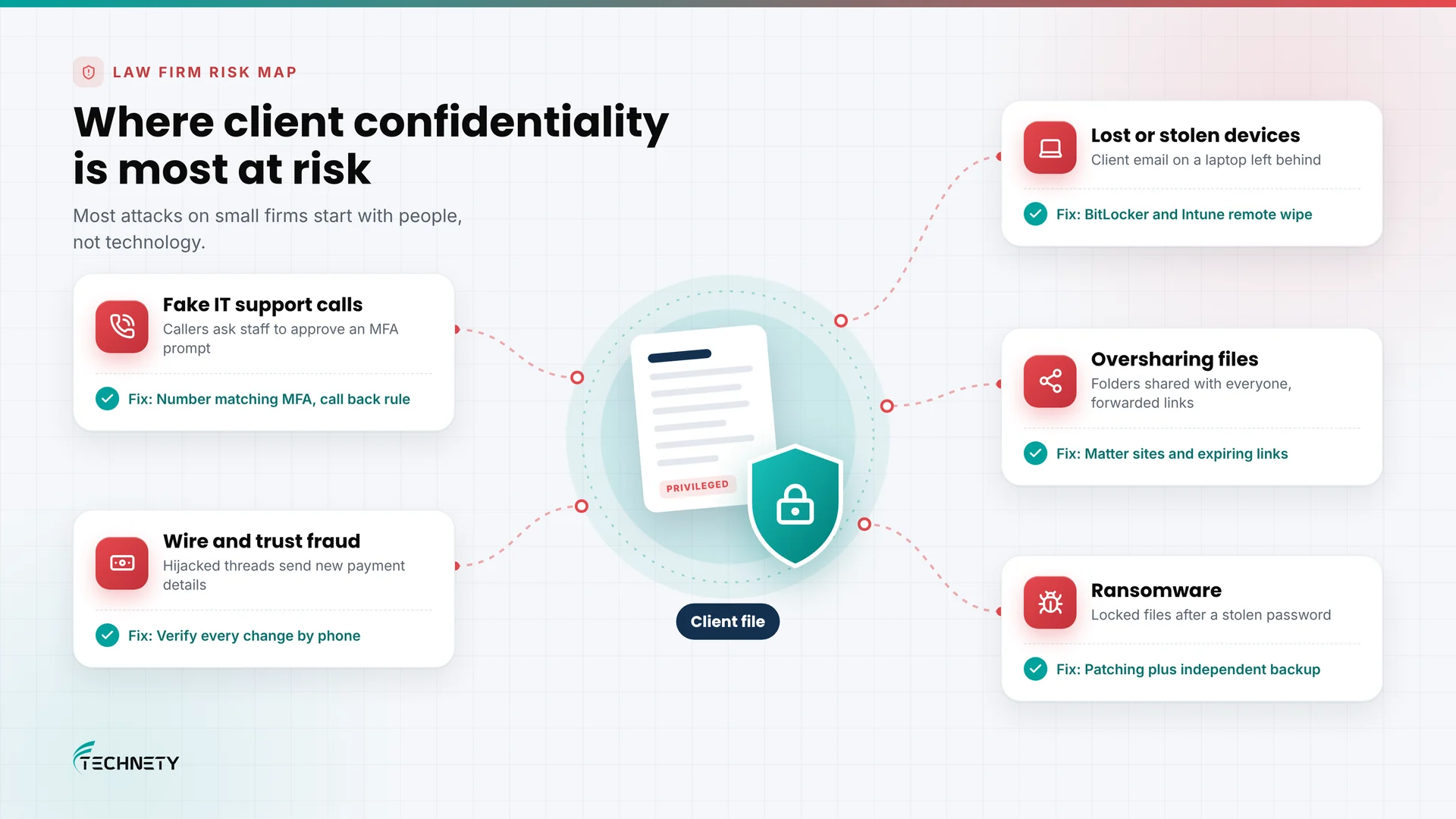
- Social engineering: fake “IT support” calls, MFA approval requests and phishing emails. Several large Canadian law firms have reported breaches linked to a social engineering campaign that impersonated internal IT teams.
- Wire and trust account fraud: fraudsters intercept email threads and send new payment instructions. LAWPRO reports that most of the frauds it sees start with social engineering, often through phishing or a phone call.
- Lost or stolen devices: a laptop or phone with client email on it, left in a courtroom, car or train.
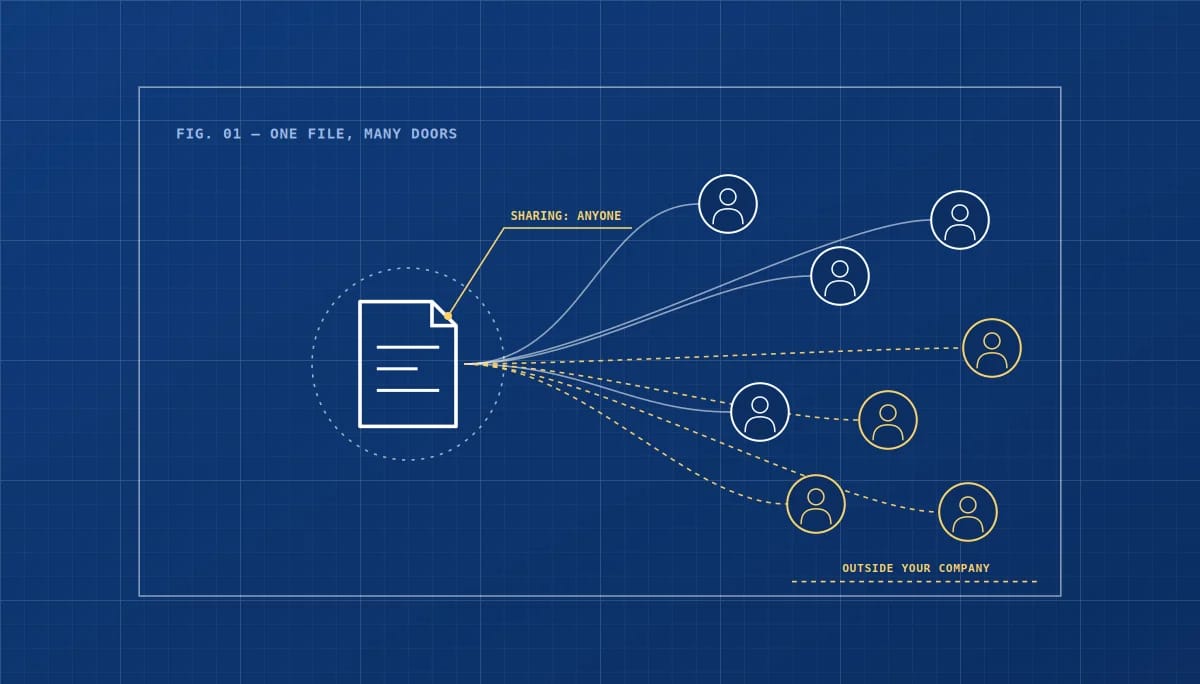
- Oversharing files: client folders shared with “everyone”, forwarded links, or files stored on personal devices.
- Ransomware: encrypted files and a demand for payment, often after a stolen password or an unpatched device.
Our guide on how to stop invoice fraud in Microsoft 365 covers the email side of payment fraud in more detail.
What Microsoft 365 setup does a small law firm need?
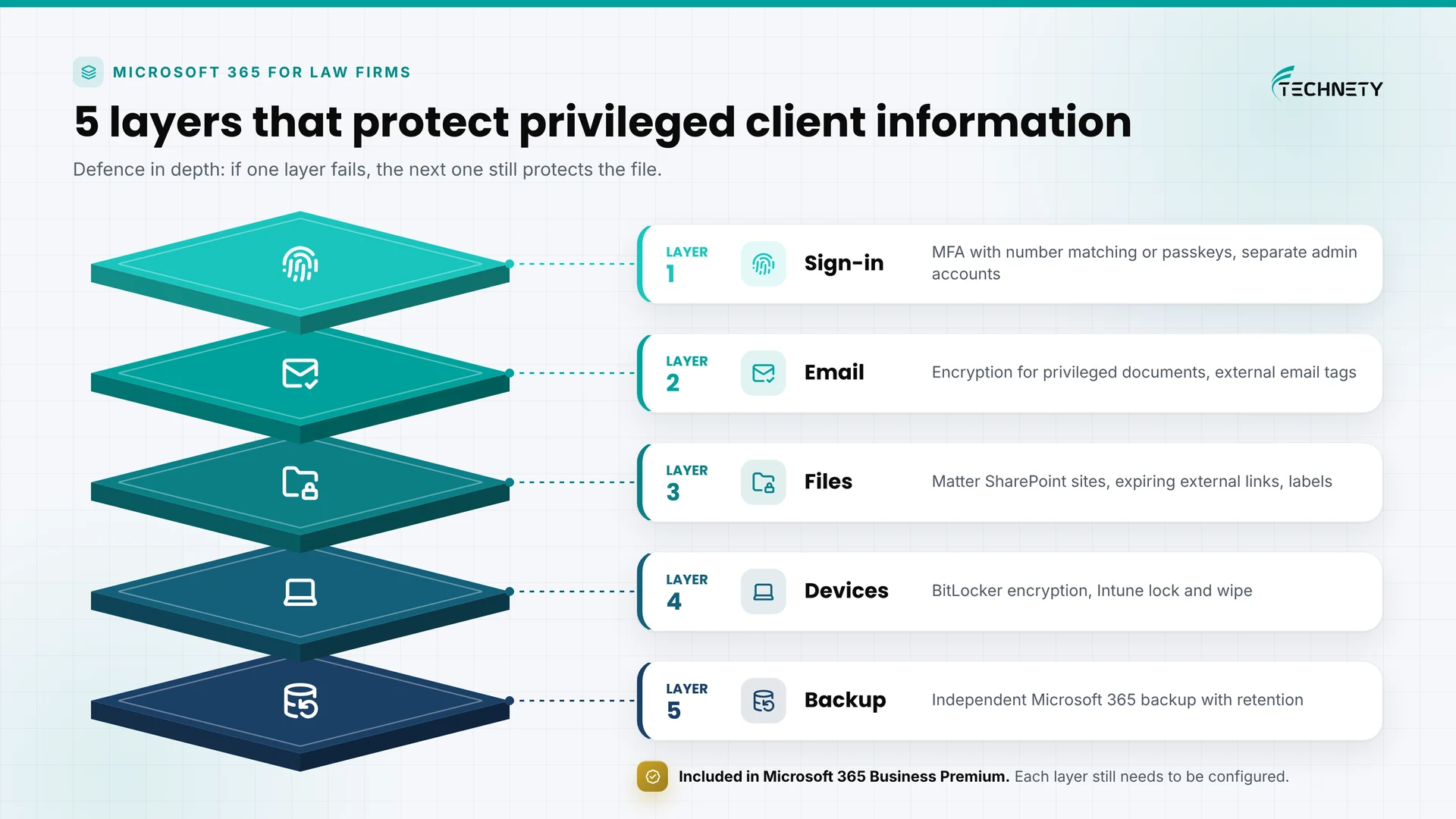
| Area | What good looks like |
|---|---|
| Sign-in | Every account uses MFA, ideally phishing-resistant methods such as passkeys or the Authenticator app with number matching. Admin accounts are separate from daily accounts. |
| Privileged documents are sent with Microsoft Purview Message Encryption or as secure links, not as plain attachments. External emails are tagged. | |
| Files | Client and matter files live in SharePoint sites limited to the people working on them. External sharing uses expiring links. |
| Labels | Sensitivity labels such as “Privileged and Confidential” mark and protect the most sensitive documents. |
| Devices | Laptops are encrypted with BitLocker and managed with Intune, so a lost device can be locked or wiped remotely. |
| Backup | A third-party Microsoft 365 backup keeps copies of email and files outside Microsoft, with retention that matches the firm’s records needs. |
| Access reviews | Former staff, students and contractors lose access the day they leave. |
Most of this is included in Microsoft 365 Business Premium. If your firm is on Basic or Standard, see Business Basic vs Standard vs Premium to compare what each plan includes.
What is the safest way to send documents to clients?
| Method | Plain email attachment | Encrypted email | Secure SharePoint link |
|---|---|---|---|
| Protected in transit and at rest | Limited | Yes | Yes |
| Can be forwarded freely | Yes | Can be blocked with “Do Not Forward” | Only to people you allow |
| Can you revoke access later? | No | In some cases | Yes, remove the link or set an expiry |
| Easy for the client | Yes | Yes, opens in Outlook or a web portal | Yes, opens in a browser |
| Best for | Non-sensitive documents | Privileged letters and agreements | Large files and ongoing matters |
How should a law firm verify wire instructions?
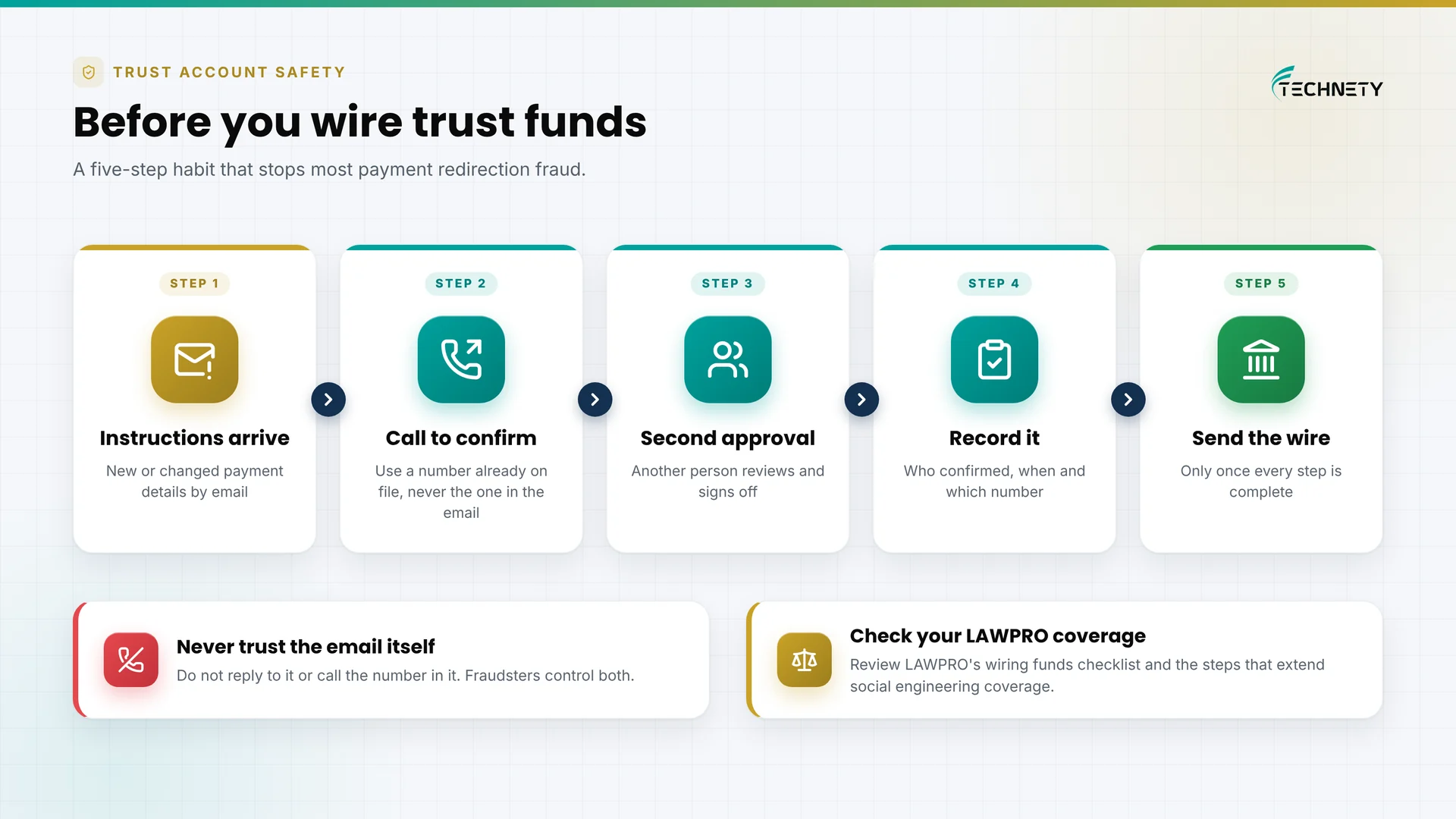
LAWPRO publishes a social engineering toolkit and a wiring funds checklist for Ontario lawyers. Whatever your insurer requires, a simple internal rule helps:
- Treat changes as suspicious: any new or changed payment instructions received by email.
- Call to confirm: phone the client or other party on a number you already have on file, not one in the email.
- Second approval: a second person signs off before trust funds are wired.
- Record it: note who confirmed, when and on which number.
- Then send: only once the instructions are verified.
Check with LAWPRO directly for the exact steps your coverage requires.
What does this look like in practice?
This is an illustrative example based on a typical setup, not a specific client.
Where they started: A six-lawyer Ottawa firm practising family and real estate law used Microsoft 365 Business Standard. Client files lived in a mix of personal OneDrive folders and one shared drive everyone could open. Documents went out as plain attachments, two laptops were unmanaged, and a former articling student still had an active account.
What changed: The firm moved to Business Premium, enforced MFA with number matching, created SharePoint sites per practice group with restricted access, set up encrypted email and a “Privileged and Confidential” label, enrolled all laptops in Intune with BitLocker, removed the old account and added a third-party backup. They also adopted a written call-back rule for wire instructions.
The result: When a clerk received a fake “IT support” call a few months later, the attacker could not get past the number matching prompt. Every laptop was encrypted and manageable, and the firm could show exactly who had access to each client’s files.
How Technety helps
Technety manages and secures Microsoft 365 for small businesses in Ottawa, including law firms. As part of our Microsoft 365 administration and security and Proactive IT Support services, we can help you:
- Enforce strong MFA and separate admin accounts
- Set up encrypted email and sensitivity labels for privileged documents
- Organize client files into secure SharePoint sites
- Encrypt and manage laptops and phones with Intune
- Add an independent Microsoft 365 backup
- Review who has access when staff, students or contractors leave
Frequently asked questions
Does the Law Society of Ontario require law firms to use specific technology?
No. The LSO’s competence commentary says lawyers should understand and be able to use technology relevant to their practice, including its risks, but it does not require specific products. Check your obligations with the Law Society or your own counsel.
Is Microsoft 365 secure enough for a law firm?
Microsoft 365 can be configured to a high security standard, especially on Business Premium, which includes email encryption, device management and threat protection. Much depends on how it is set up and managed.
Can a law firm send privileged documents by regular email?
Plain attachments can be forwarded and cannot be recalled. For privileged documents, use encrypted email or a secure SharePoint link with access limited to the right people.
Which Microsoft 365 plan should a small law firm use?
Most small firms are best served by Microsoft 365 Business Premium, which includes Microsoft Purview Message Encryption, Intune device management and Defender for Office 365.
What is the biggest cyber risk for small law firms?
Social engineering, such as phishing emails and fake IT support calls, which can lead to stolen accounts and redirected trust funds.
How should a law firm protect client data on laptops?
Encrypt every laptop with BitLocker, manage it with Intune so it can be locked or wiped remotely, and store client files in SharePoint rather than only on the device.
Does LAWPRO cover social engineering fraud?
LAWPRO’s policy covers social engineering claims to a $250,000 sublimit, which lawyers can extend to the standard $1 million limit by taking required steps. Confirm the current details with LAWPRO.
Protect your clients’ confidential information
Technety offers a free 30-minute Microsoft 365 and security review for Ottawa small businesses, including law firms. We will check how your firm signs in, sends documents and stores client files, and tell you what to fix first.
Related reading: how to stop invoice fraud in Microsoft 365, who can see your files, and IT support for Ottawa insurance brokers.
This article is general information, not legal advice.
Sources
- Law Society of Ontario: Rules of Professional Conduct, Chapter 3
- CIPPIC: Addressing AI use in the legal profession (LSO competence commentary)
- LAWPRO practicePRO: Social Engineering Toolkit
- LAWPRO practicePRO: Cyber dangers
- The Logic: Scammers are infiltrating Bay Street with social engineering
- Microsoft Learn: Message encryption FAQ
- Microsoft Learn: Information protection in Microsoft 365 Business Premium
Related articles
More practical guides on Microsoft 365, security and IT for Ottawa businesses.